> ## Documentation Index
> Fetch the complete documentation index at: https://docs.insighto.ai/llms.txt
> Use this file to discover all available pages before exploring further.
# Freshdesk Tool
## Learn how to integrate Freshdesk with Insighto.ai to automatically create support tickets from form submissions.
## Setup Freshdesk Tool
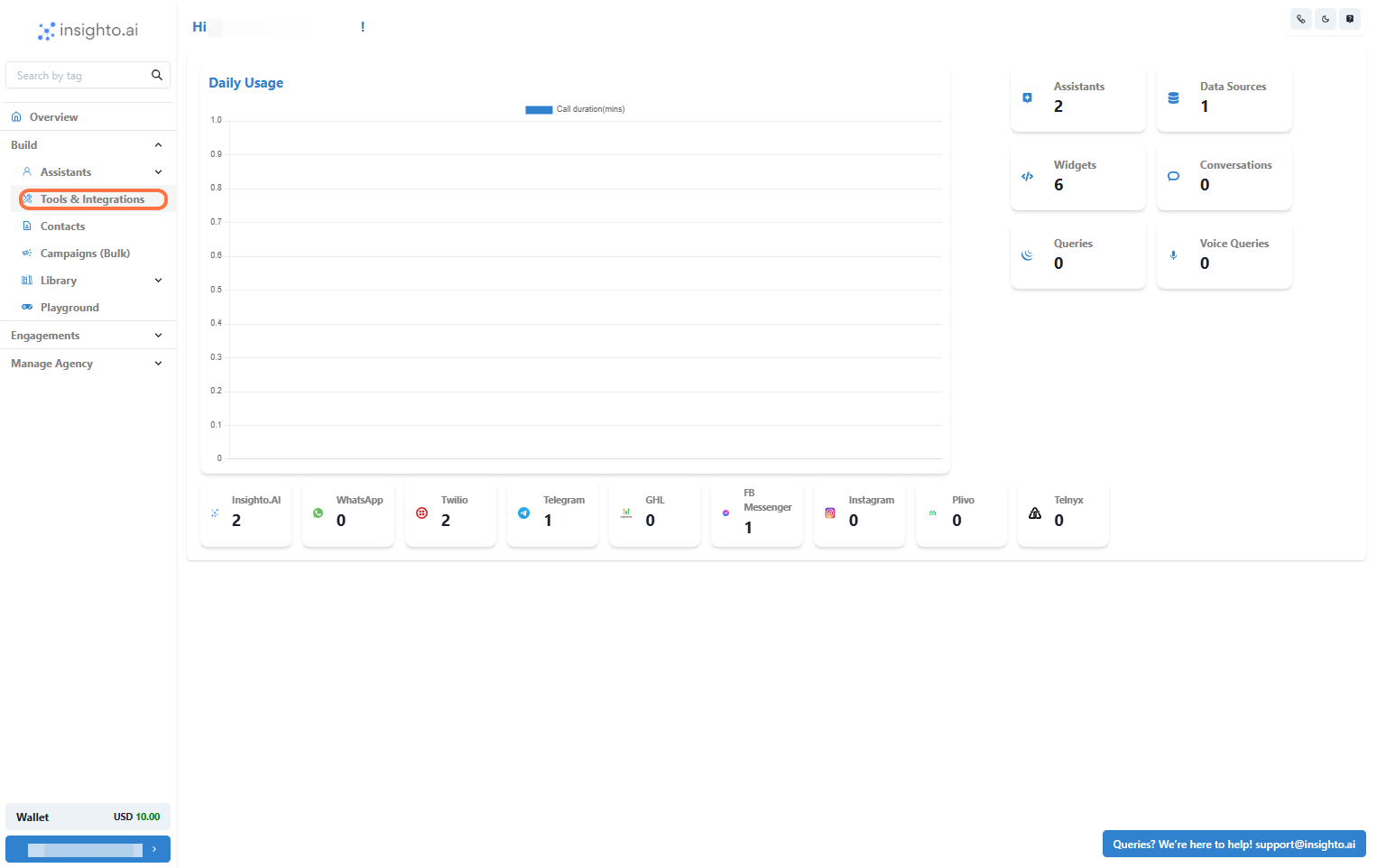
1. Go to Tools & Integration
From the left-hand sidebar of your Insighto dashboard, click on **Tools & Integration**.
 ***
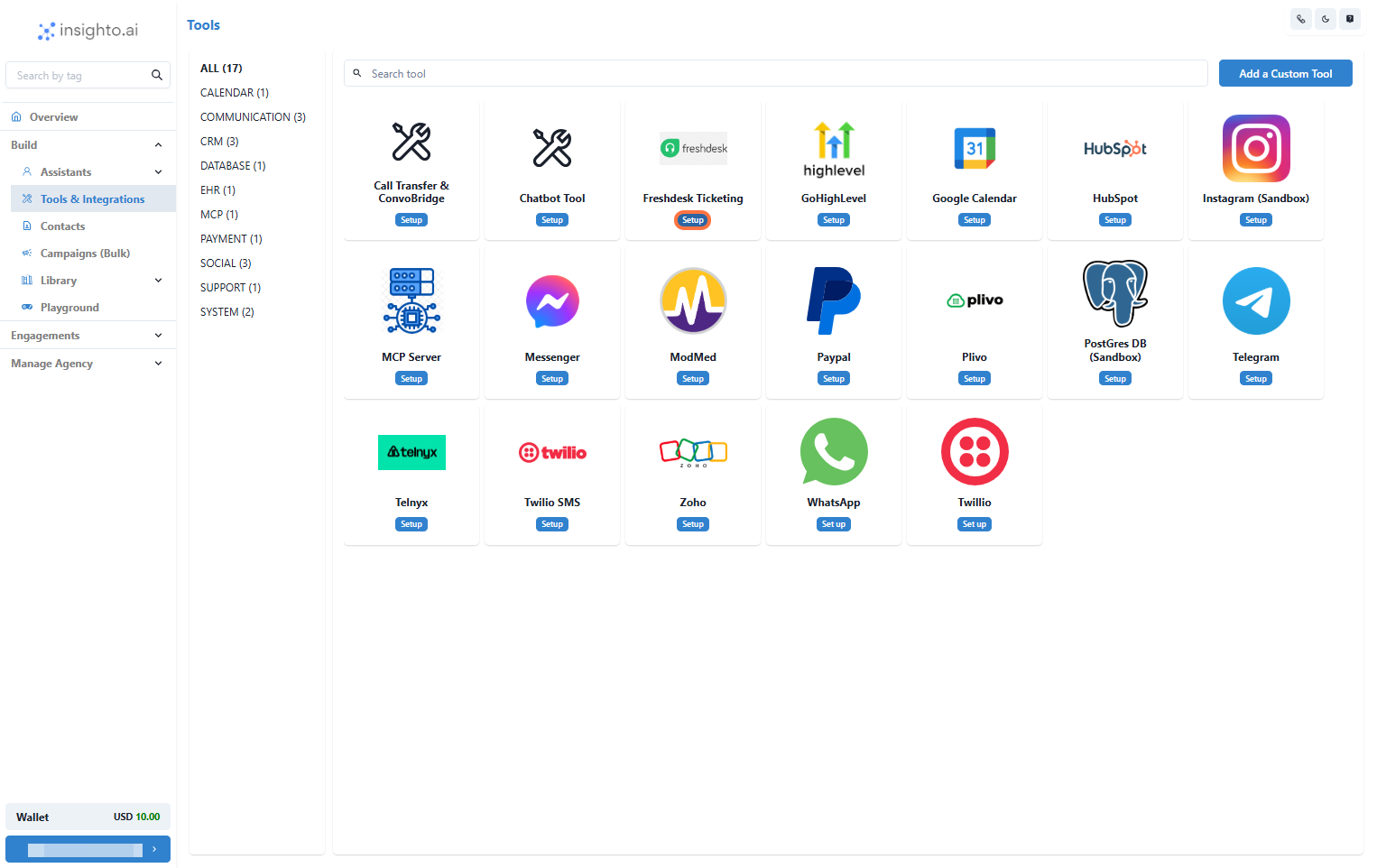
2. Locate the Freshdesk Tool and Click Set Up
***
2. Locate the Freshdesk Tool and Click Set Up
 ***
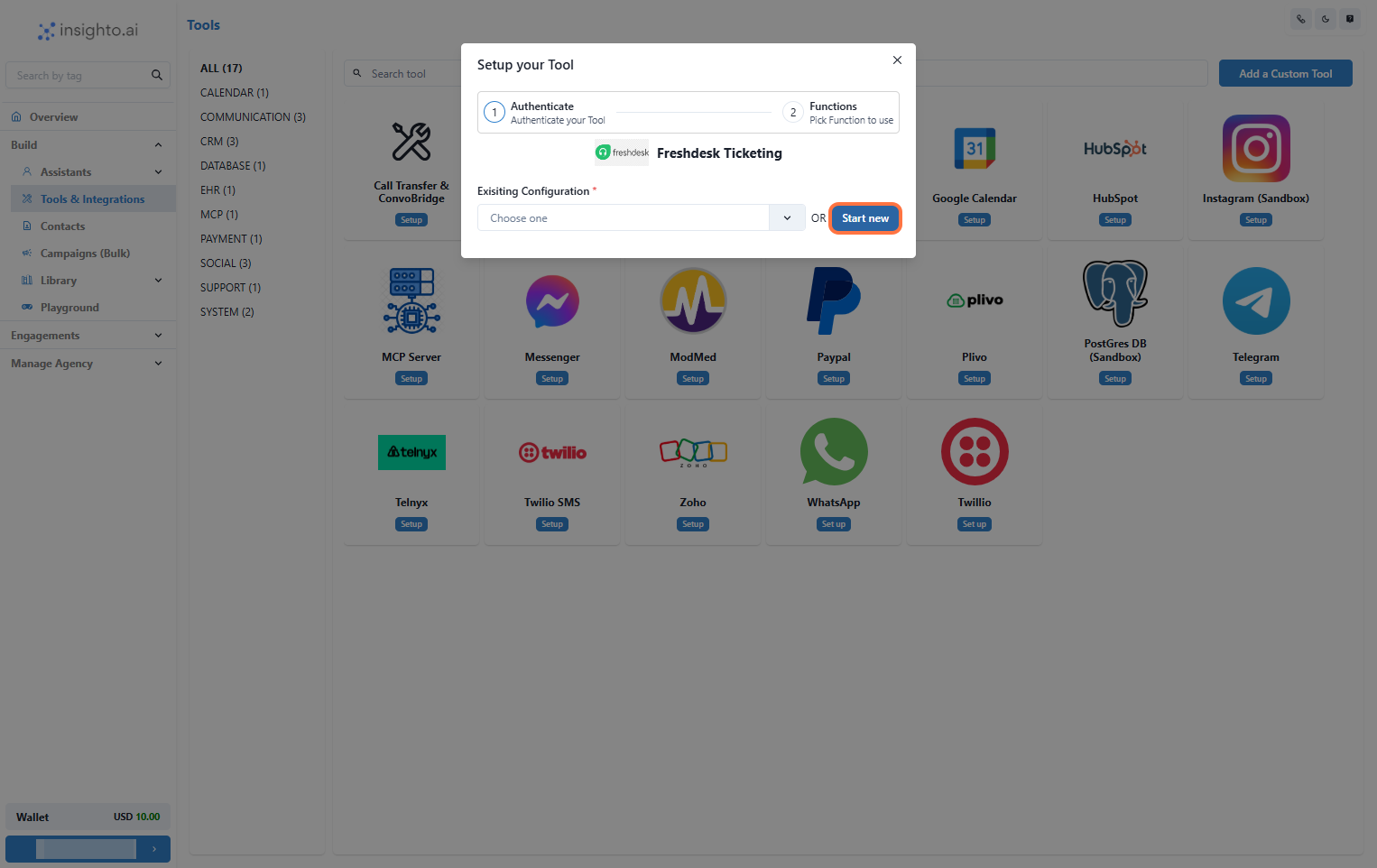
3. Click on Start New
After clicking **Set Up**, a popup window will appear. Click the **Start New** button to begin creating a new configuration.
***
3. Click on Start New
After clicking **Set Up**, a popup window will appear. Click the **Start New** button to begin creating a new configuration.
 ***
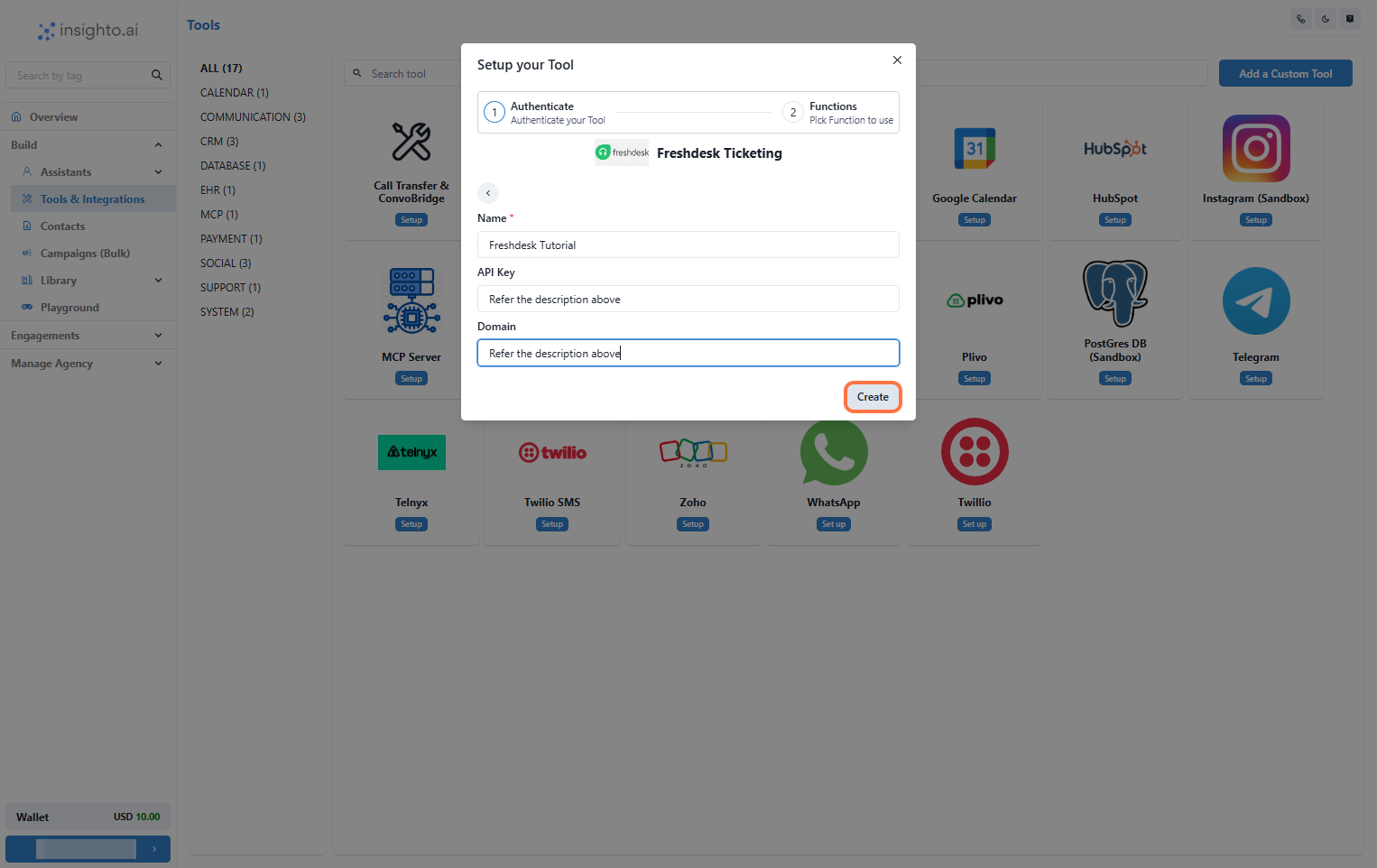
4. Configure Freshdesk Tool Settings
To set up the Freshdesk tool, enter:
* A name for the integration
* Your **Freshdesk API Key**
* Your **Freshdesk domain**
#### How to retrieve these details:
1. Log in to your Freshdesk account.
2. Go to **Profile Settings** from the top-right profile menu.
3. Copy your API Key from the **Your API Key** section.
4. Identify your domain from your Freshdesk URL (e.g., `https://yourdomain.freshdesk.com` → `yourdomain`).
🔗 [Help article](https://support.freshdesk.com/en/support/solutions/articles/237264-how-do-i-find-my-freshdesk-account-url-using-my-email-address)
***
4. Configure Freshdesk Tool Settings
To set up the Freshdesk tool, enter:
* A name for the integration
* Your **Freshdesk API Key**
* Your **Freshdesk domain**
#### How to retrieve these details:
1. Log in to your Freshdesk account.
2. Go to **Profile Settings** from the top-right profile menu.
3. Copy your API Key from the **Your API Key** section.
4. Identify your domain from your Freshdesk URL (e.g., `https://yourdomain.freshdesk.com` → `yourdomain`).
🔗 [Help article](https://support.freshdesk.com/en/support/solutions/articles/237264-how-do-i-find-my-freshdesk-account-url-using-my-email-address)
 ***
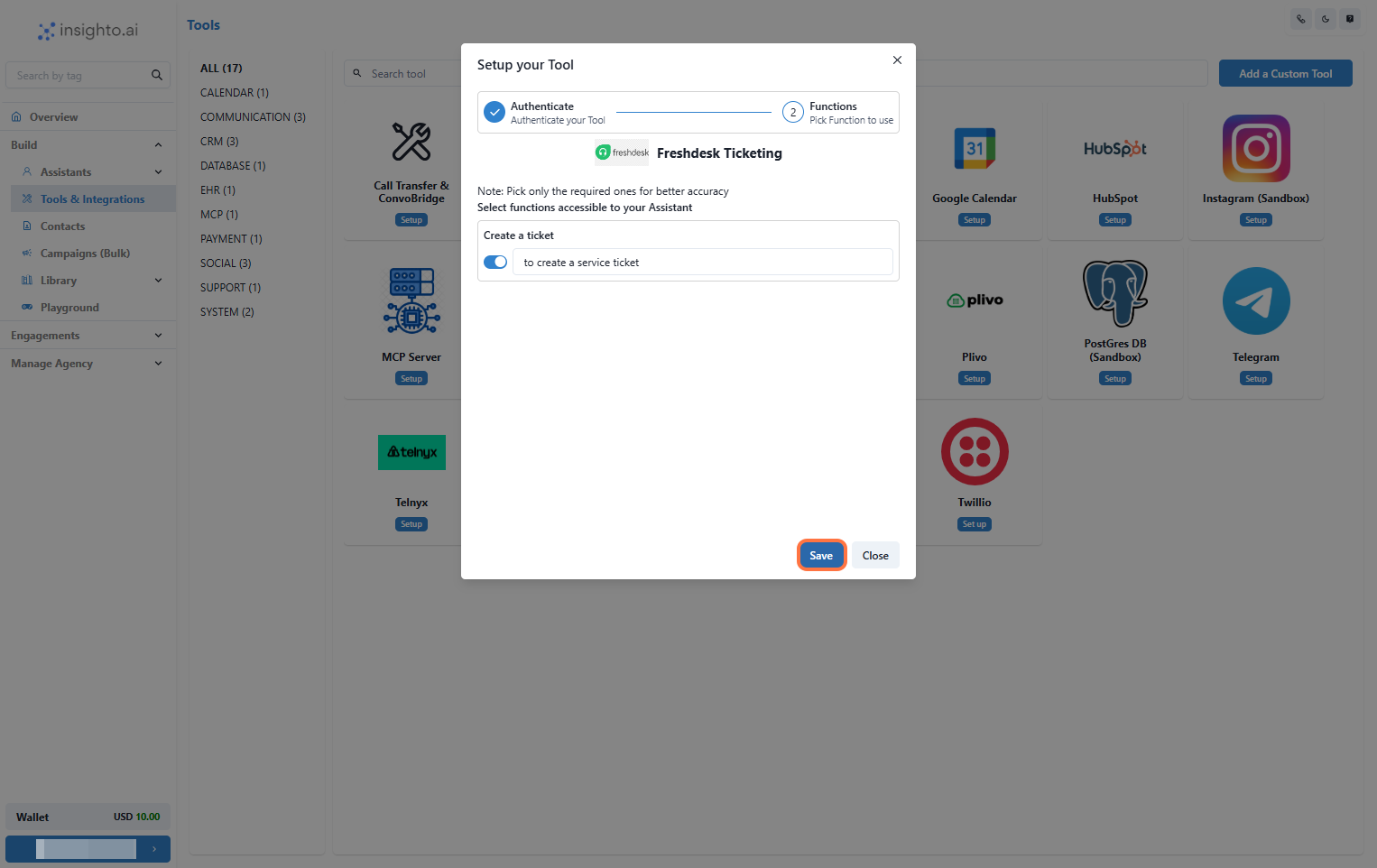
5. Enable Create Ticket Function
Enable the **Create Ticket** function and click **Save** to complete the setup.
***
5. Enable Create Ticket Function
Enable the **Create Ticket** function and click **Save** to complete the setup.
 ***
## Connect With Forms to Use on Assistant
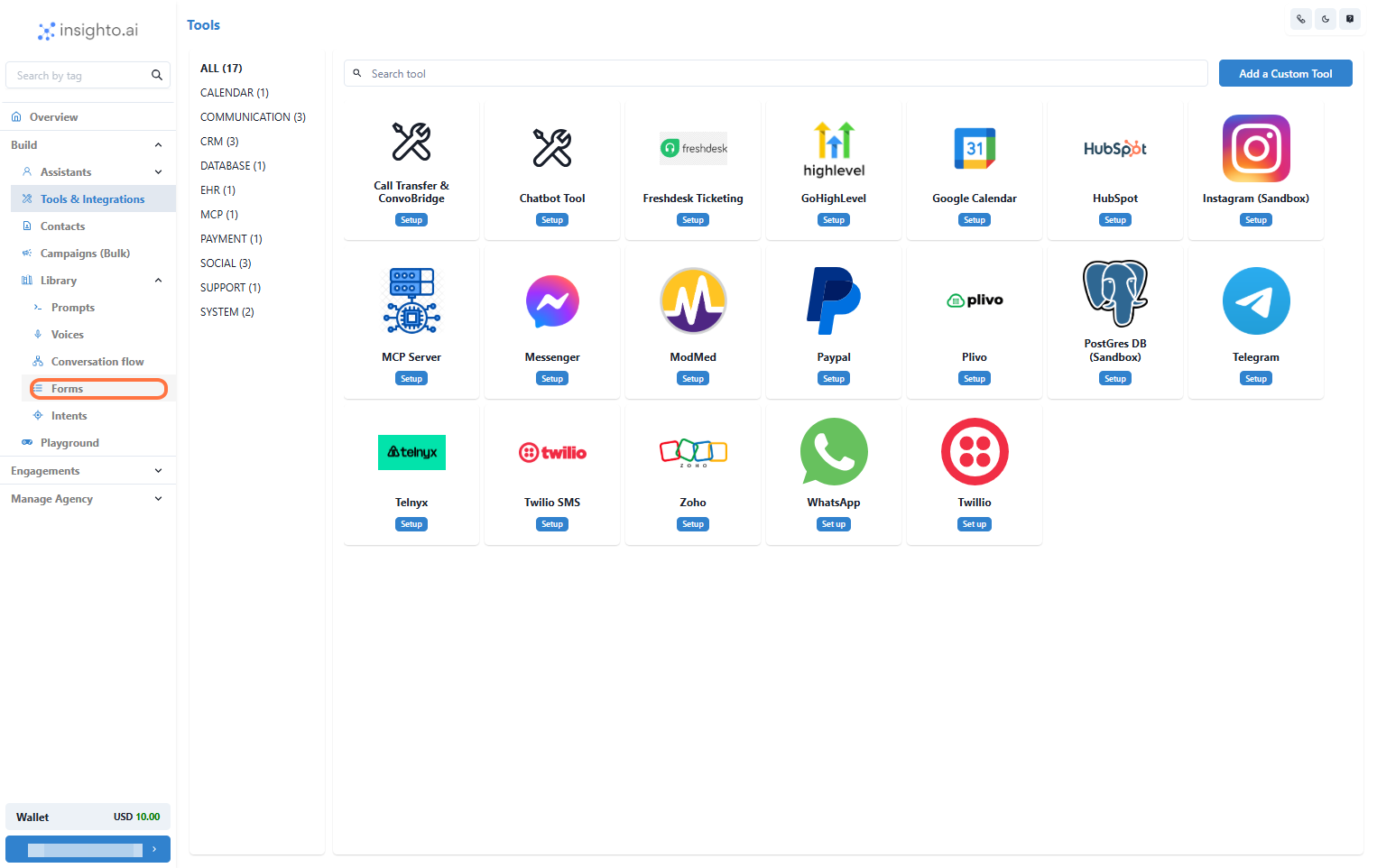
6. Navigate to Forms Section
Go to the **Library** section in the left panel and click on **Forms** to manage or create the form.
***
## Connect With Forms to Use on Assistant
6. Navigate to Forms Section
Go to the **Library** section in the left panel and click on **Forms** to manage or create the form.
 ***
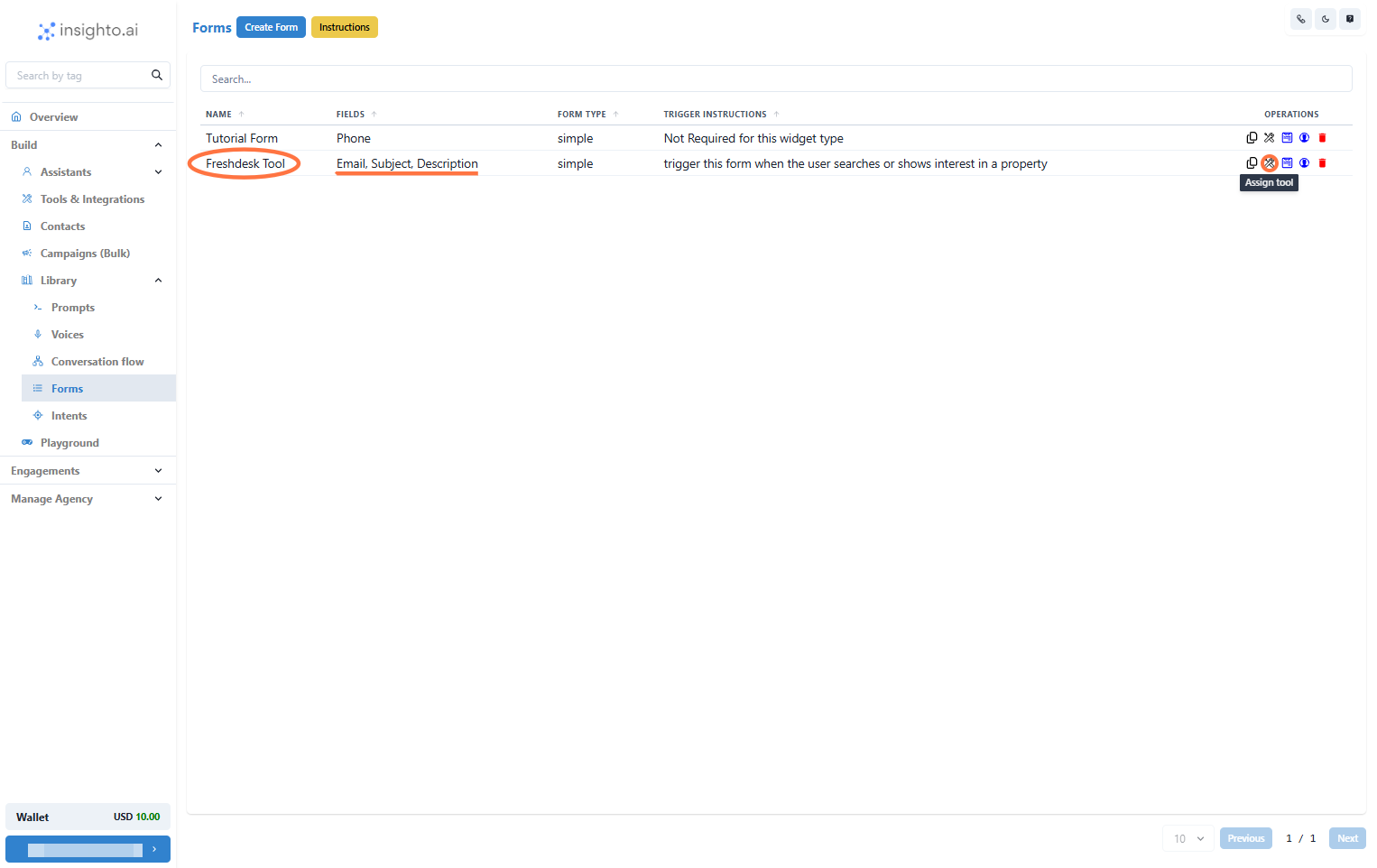
7. Connect Freshdesk Tool to Form
Find or create a form that includes the required fields (**Email**, **Subject**, **Description**), then click **Assign Tool**.
***
7. Connect Freshdesk Tool to Form
Find or create a form that includes the required fields (**Email**, **Subject**, **Description**), then click **Assign Tool**.
 ***
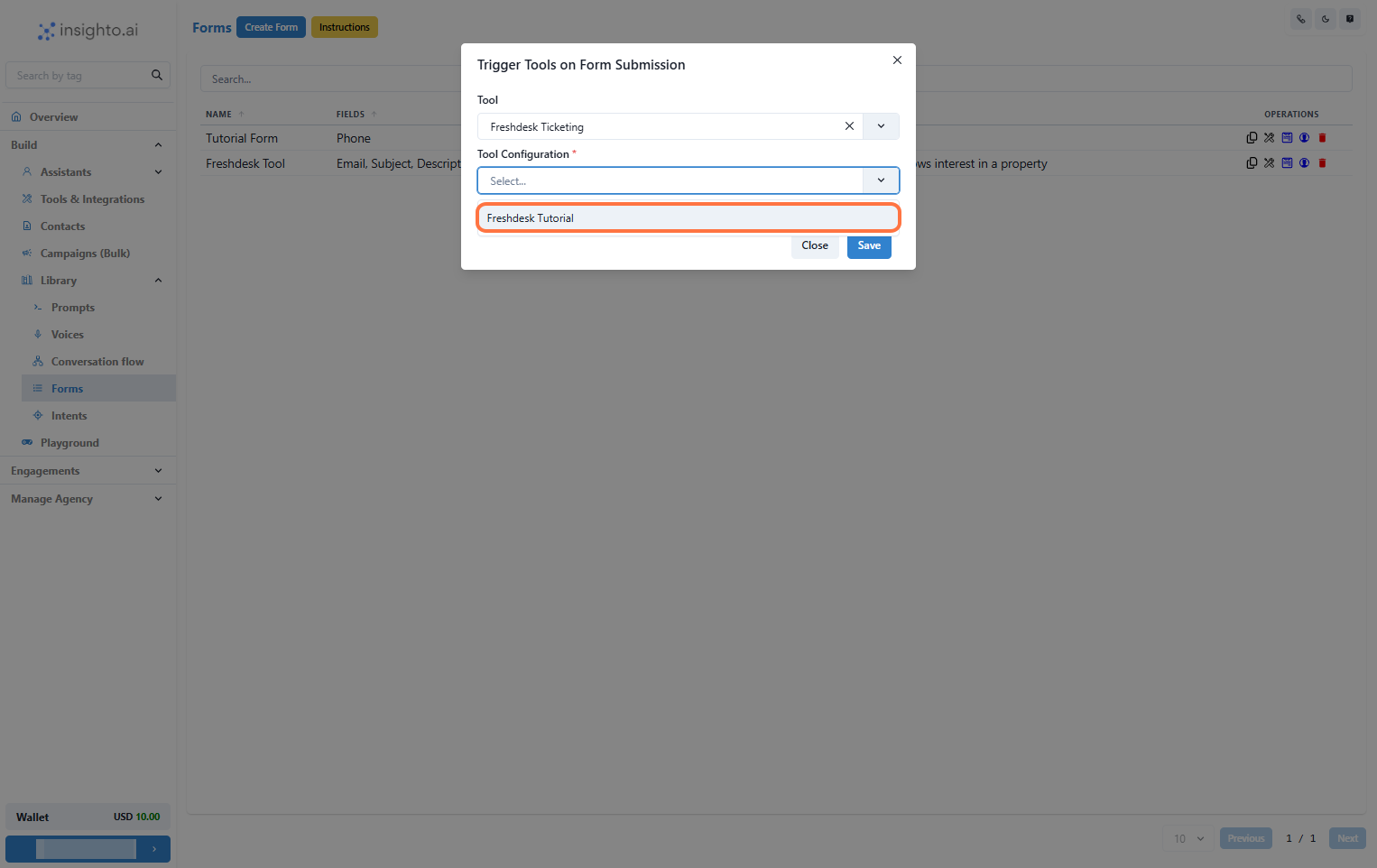
8. Select Tool Type and Configuration
In the popup, select **Freshdesk** from the tool type dropdown, then choose the configuration you set up.
***
8. Select Tool Type and Configuration
In the popup, select **Freshdesk** from the tool type dropdown, then choose the configuration you set up.
 ***
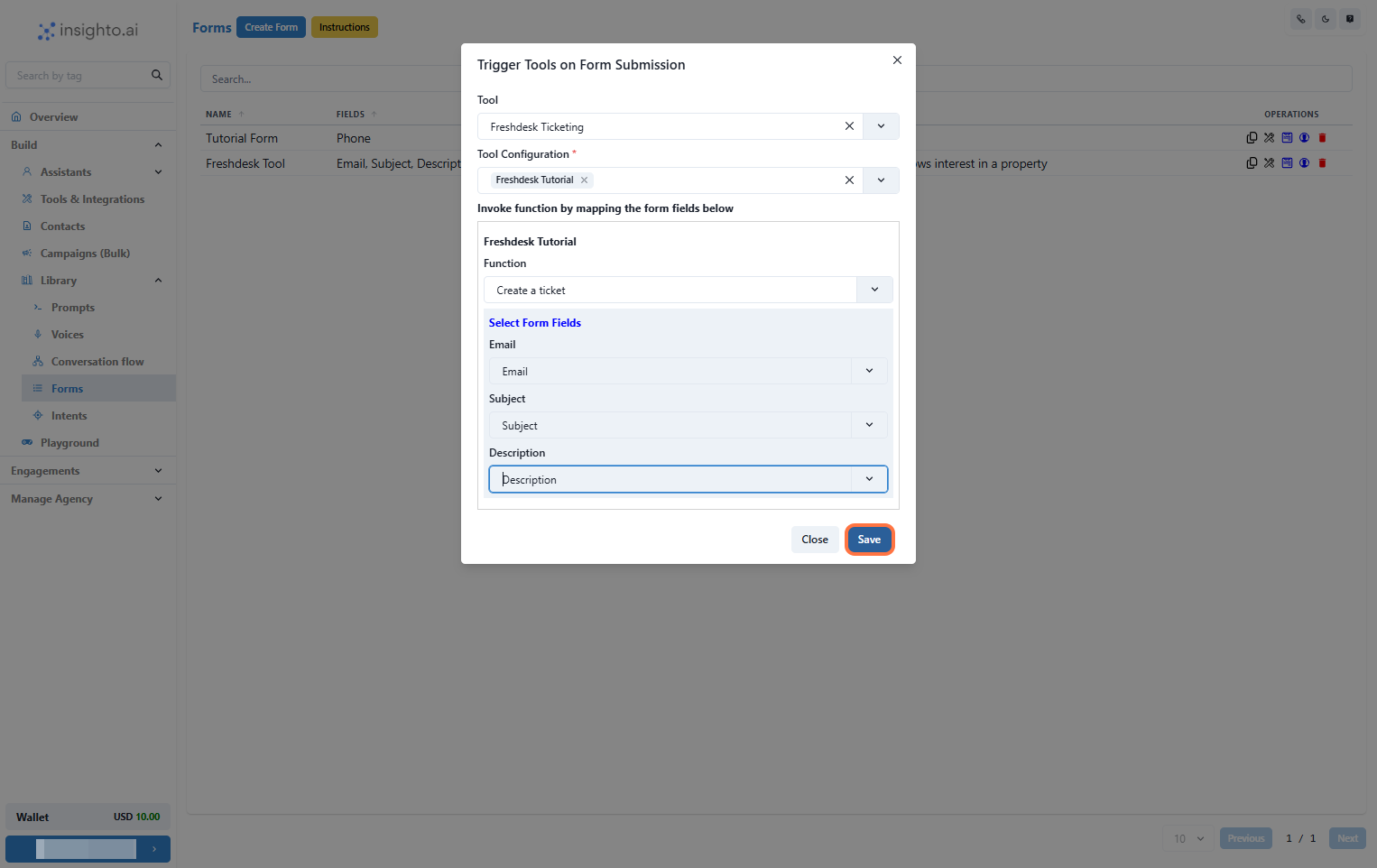
9. Map Form Fields and Finalize Connection
Select the **Create Ticket** function, map the form fields, and click **Save**.
***
9. Map Form Fields and Finalize Connection
Select the **Create Ticket** function, map the form fields, and click **Save**.
 ***
10. Connect Form to Assistant and Trigger
Attach the form to your assistant using the **Instructions block**. When a user submits it, a Freshdesk ticket will be created.
***
10. Connect Form to Assistant and Trigger
Attach the form to your assistant using the **Instructions block**. When a user submits it, a Freshdesk ticket will be created.