> ## Documentation Index
> Fetch the complete documentation index at: https://docs.insighto.ai/llms.txt
> Use this file to discover all available pages before exploring further.
# Hubspot Tool
Learn how to integrate **HubSpot** with Insighto.ai to automatically create support tickets or leads from form submissions and assistant interactions.
***
## 🔌 Connect HubSpot Account
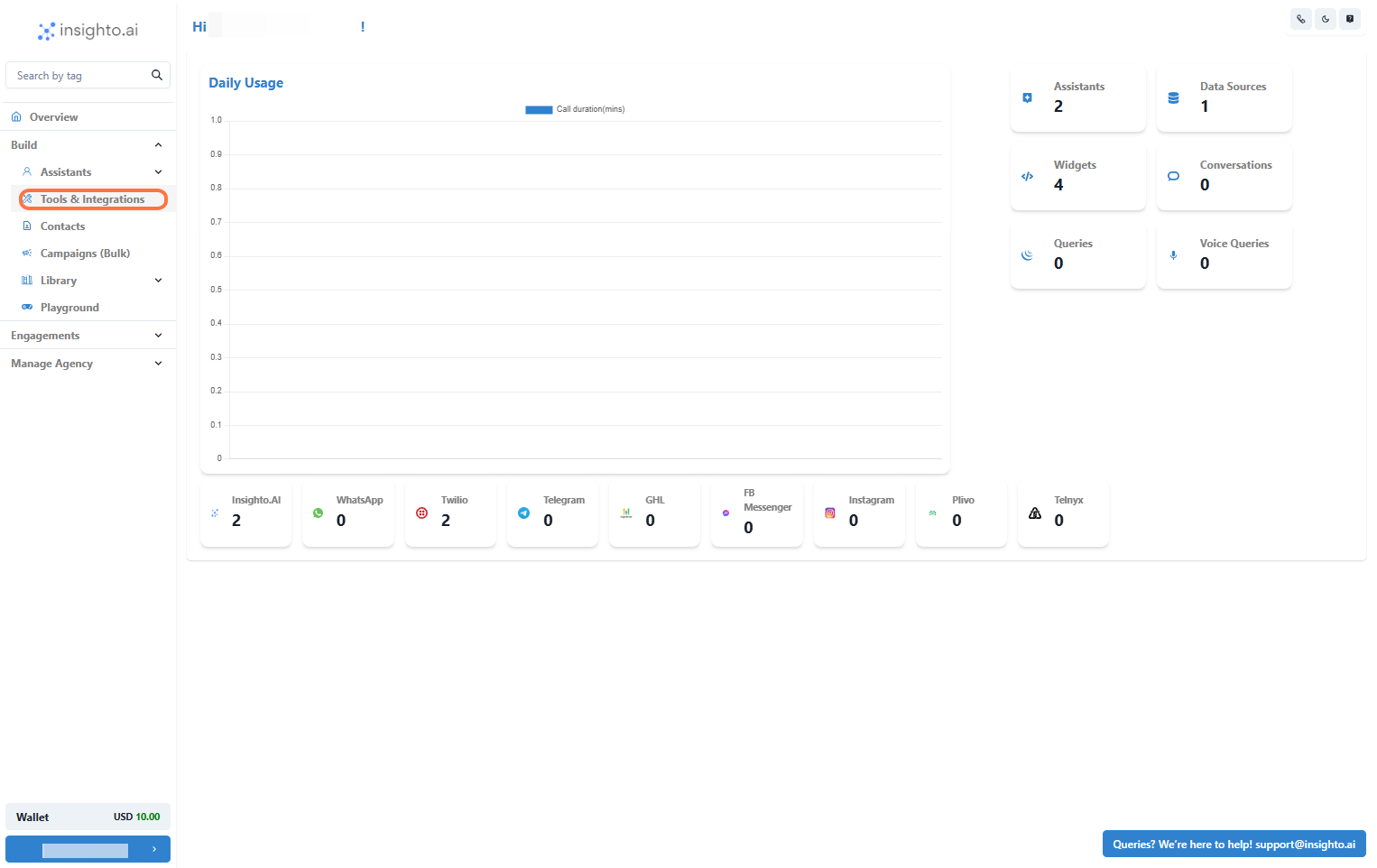
1. Go to Tools & Integration
From the left-hand sidebar of your Insighto dashboard, click on **Tools & Integration**.
 ***
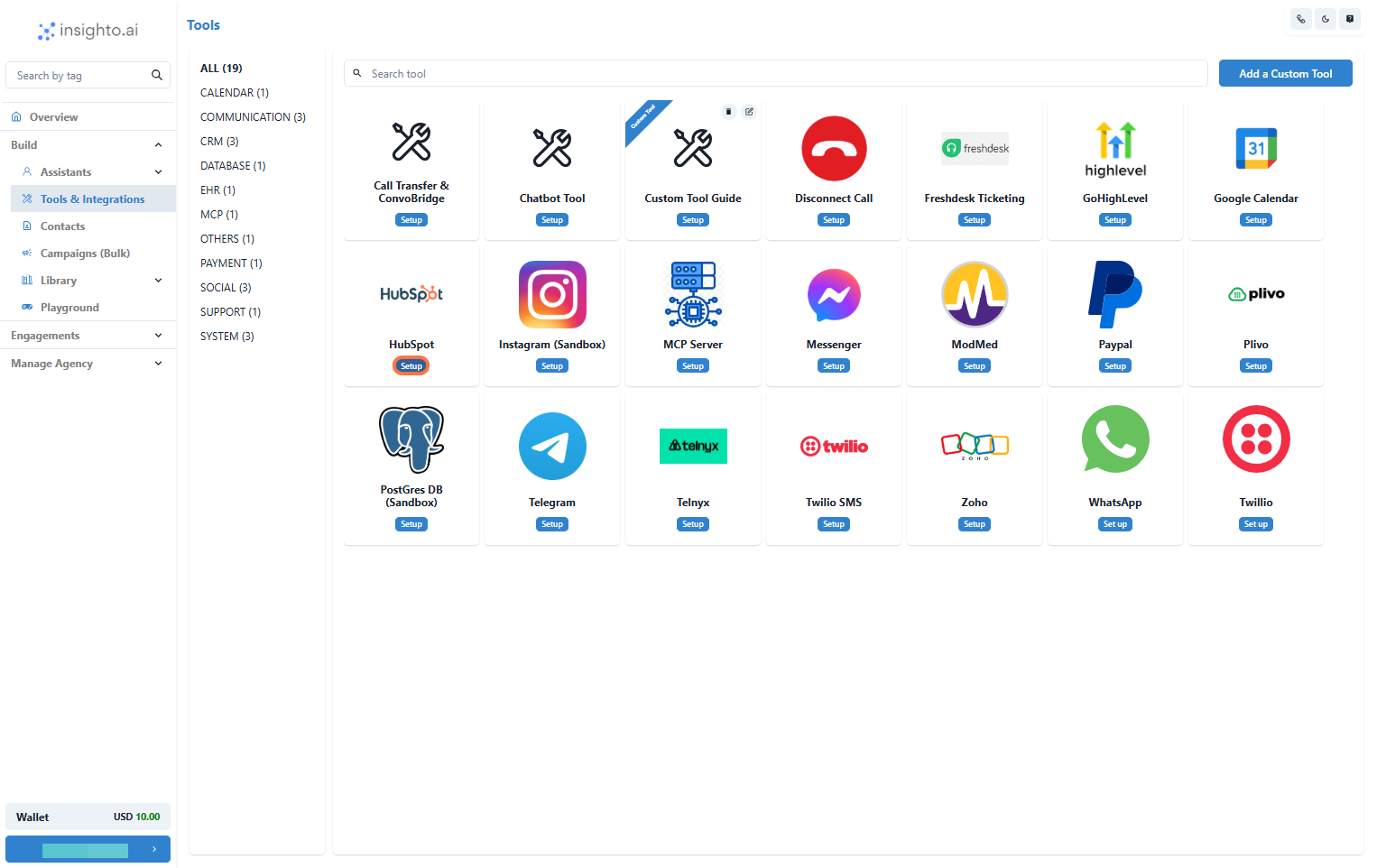
2. Locate the HubSpot Tool and Click Set Up
Find the **HubSpot Tool** in the list and click **Set Up**.
***
2. Locate the HubSpot Tool and Click Set Up
Find the **HubSpot Tool** in the list and click **Set Up**.
 ***
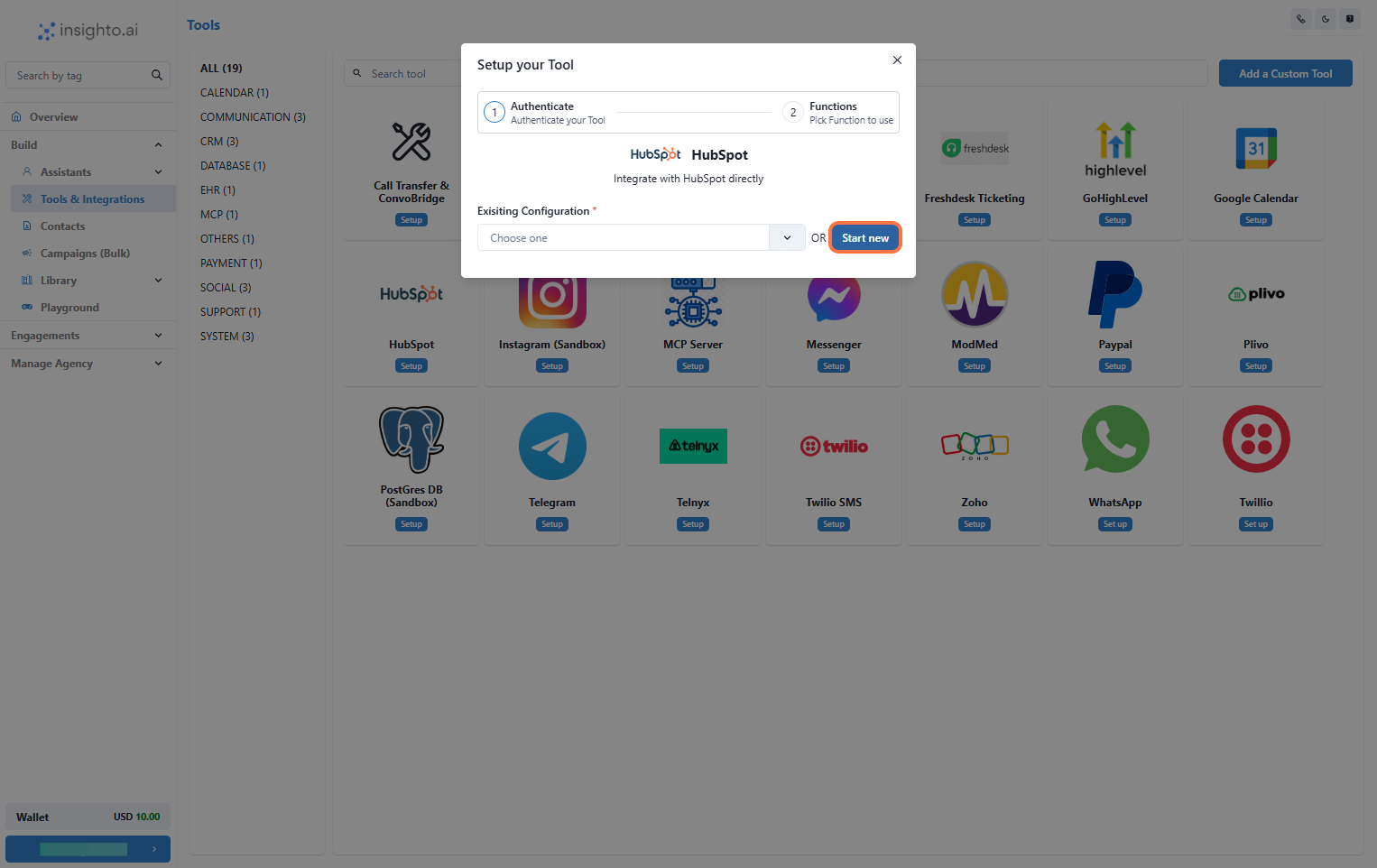
3. Click on Start New
A popup window will appear. Click the **Start New** button to begin creating a new configuration.
***
3. Click on Start New
A popup window will appear. Click the **Start New** button to begin creating a new configuration.
 ***
4. Log In to HubSpot Account
A popup will prompt you to sign in to your HubSpot account. Once logged in, you’ll be redirected back to Insighto, ready to finalize the connection.
***
4. Log In to HubSpot Account
A popup will prompt you to sign in to your HubSpot account. Once logged in, you’ll be redirected back to Insighto, ready to finalize the connection.
 ***
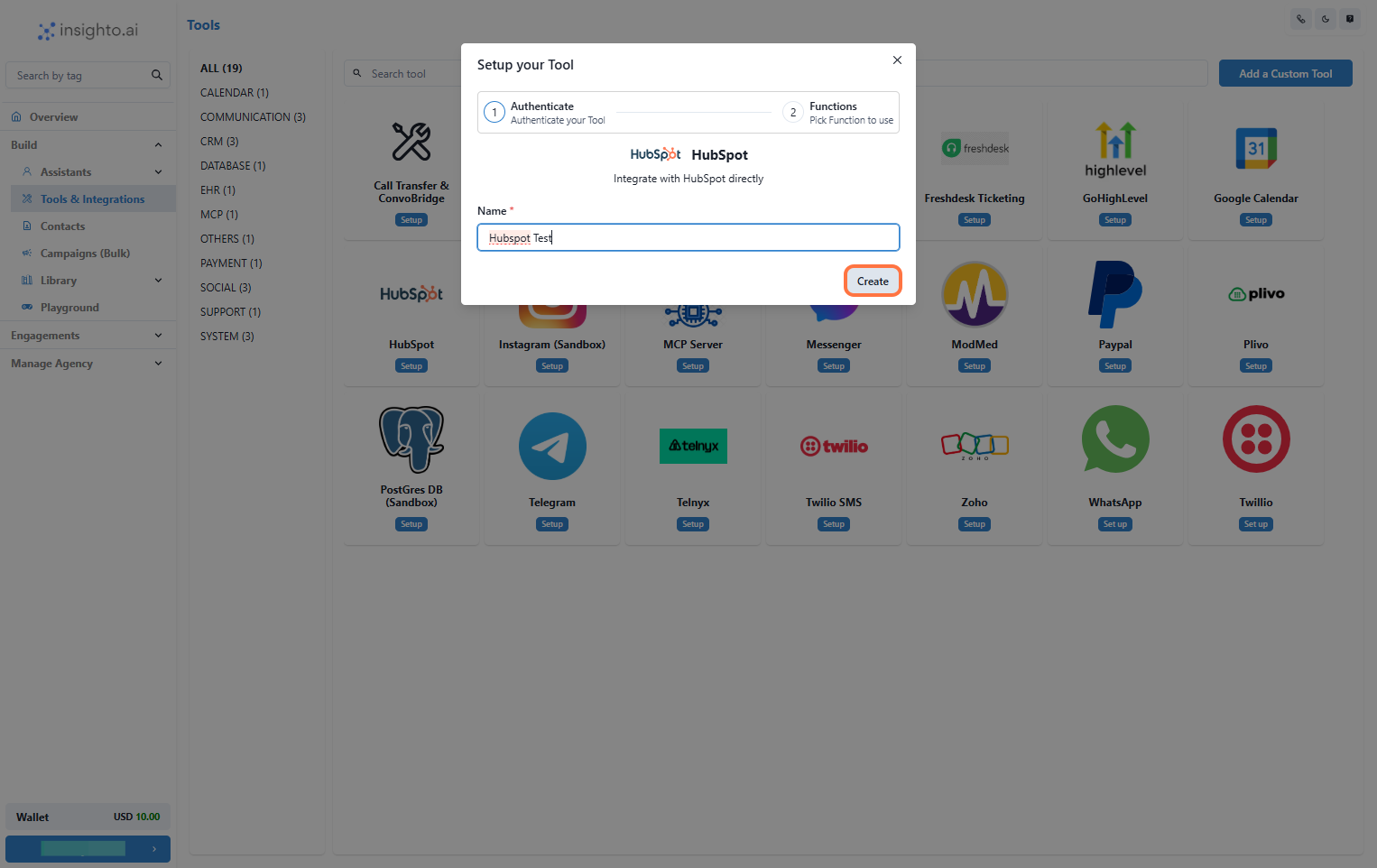
5. Name Your Configuration and Click Create
Enter a name for your configuration and click **Create**.
***
5. Name Your Configuration and Click Create
Enter a name for your configuration and click **Create**.
 ***
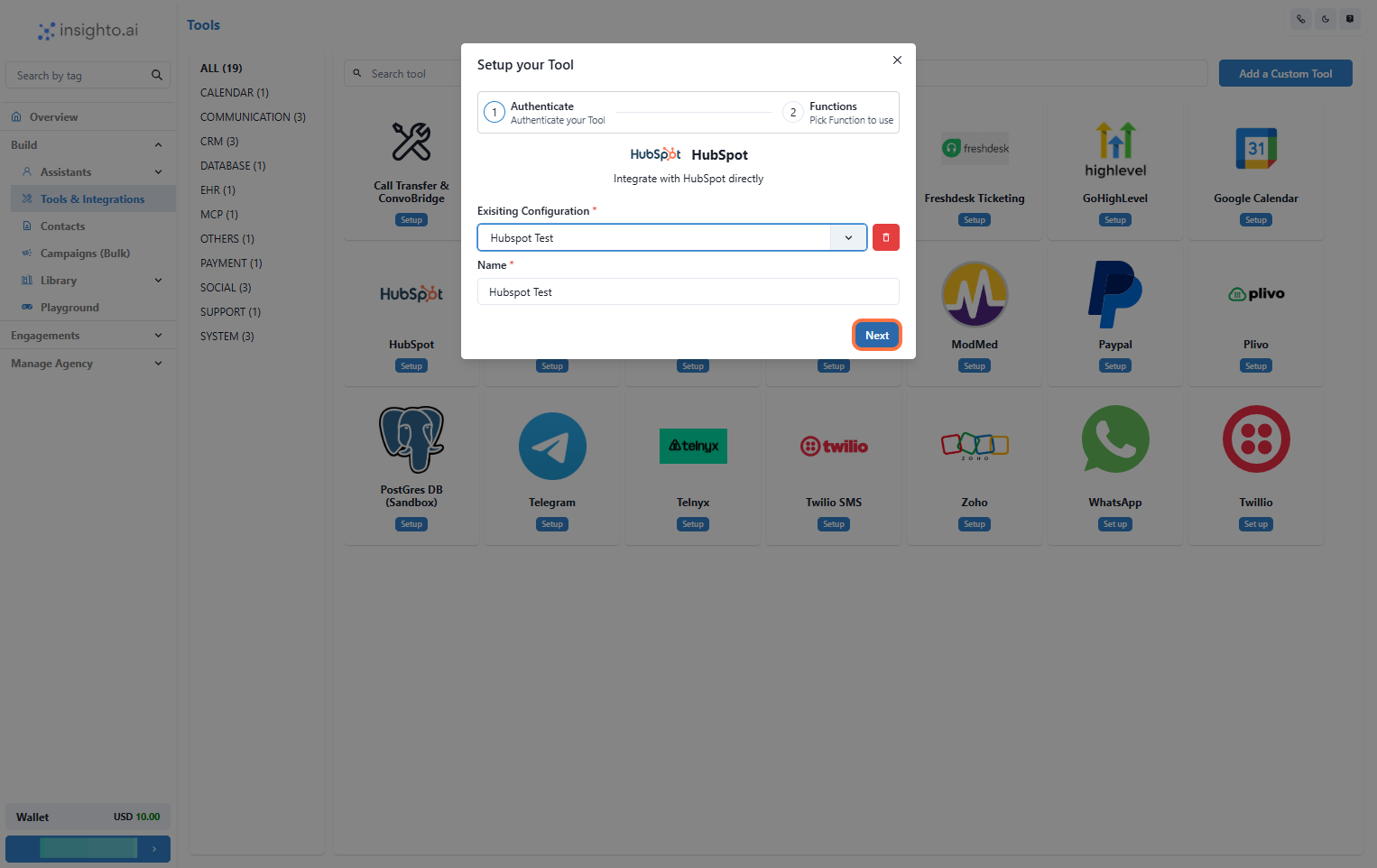
6. Select the Configuration and Click Next
From the dropdown under **Existing Configurations**, select the one you just created and click **Next**.
***
6. Select the Configuration and Click Next
From the dropdown under **Existing Configurations**, select the one you just created and click **Next**.
 ***
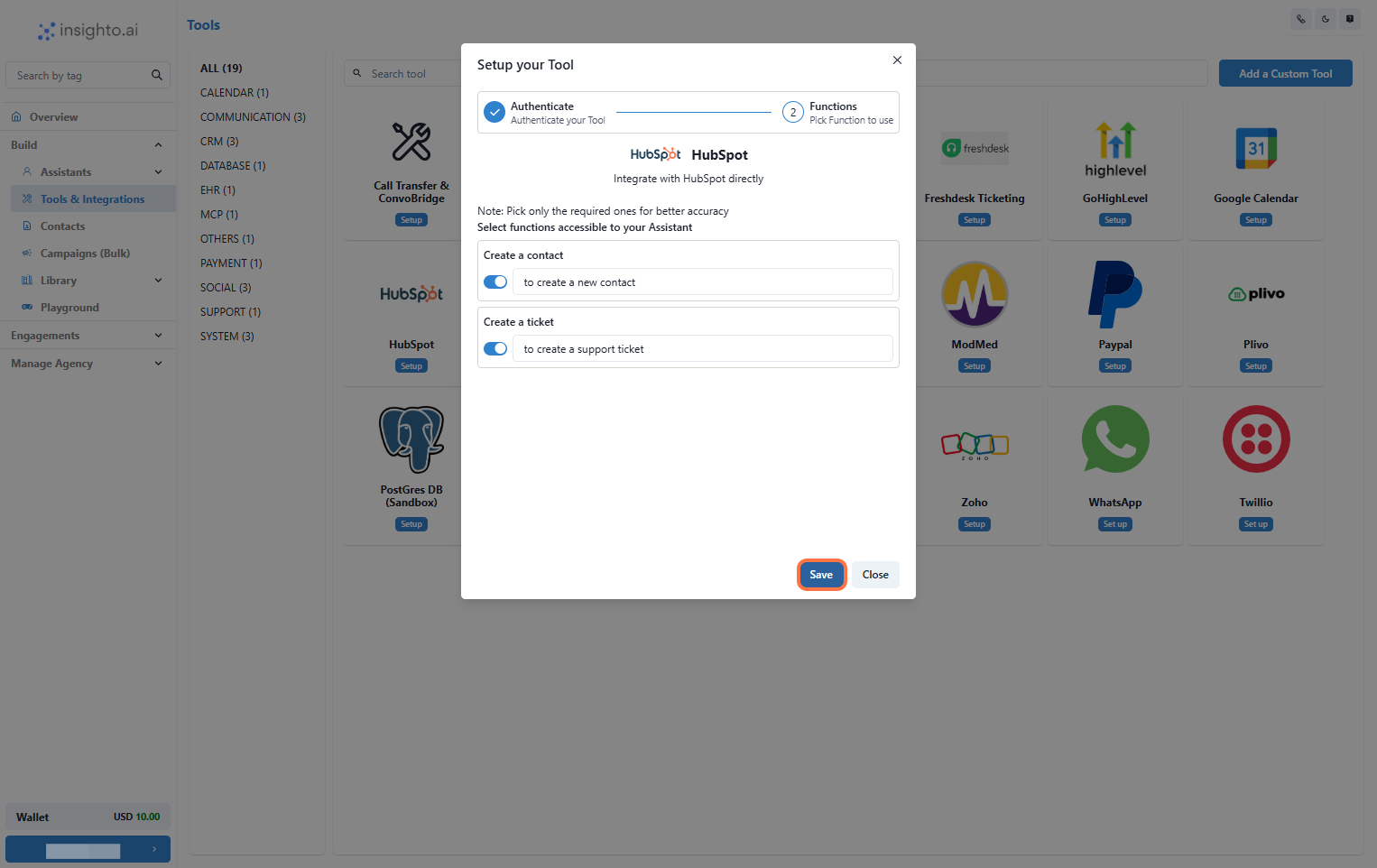
7. Enable Required Functions and Save
Toggle **ON** the functions your assistant should use (e.g., Create Contact, Create Ticket), then click **Save**.
***
7. Enable Required Functions and Save
Toggle **ON** the functions your assistant should use (e.g., Create Contact, Create Ticket), then click **Save**.
 ***
## 📝 Connect with Forms
8. Connect the Tool to an Existing Form
You can connect the HubSpot tool you created to an existing form in Insighto.
* Use the **Connect Tool** option in the form’s settings to link it to HubSpot.
* Map the form fields (like name, email, issue details) to the corresponding fields in HubSpot.
This allows Insighto to automatically push submitted data to HubSpot and create either a **contact** or a **ticket** seamlessly.
***
## 📝 Connect with Forms
8. Connect the Tool to an Existing Form
You can connect the HubSpot tool you created to an existing form in Insighto.
* Use the **Connect Tool** option in the form’s settings to link it to HubSpot.
* Map the form fields (like name, email, issue details) to the corresponding fields in HubSpot.
This allows Insighto to automatically push submitted data to HubSpot and create either a **contact** or a **ticket** seamlessly.
 ***
## 🤖 Connect with Assistant
9. Connect the Tool to an Assistant
You can also connect your HubSpot tool directly to an assistant in Insighto.
* Go to the assistant’s settings and open the **Tools** tab.
* Select your **HubSpot Tool** from the list to connect it.
* Add prompts in the assistant that gather user information during conversations.
Insighto will then push this data to HubSpot based on your configuration—creating a **contact** or **ticket** automatically.
***
## 🤖 Connect with Assistant
9. Connect the Tool to an Assistant
You can also connect your HubSpot tool directly to an assistant in Insighto.
* Go to the assistant’s settings and open the **Tools** tab.
* Select your **HubSpot Tool** from the list to connect it.
* Add prompts in the assistant that gather user information during conversations.
Insighto will then push this data to HubSpot based on your configuration—creating a **contact** or **ticket** automatically.
