> ## Documentation Index
> Fetch the complete documentation index at: https://docs.insighto.ai/llms.txt
> Use this file to discover all available pages before exploring further.
# Paypal Tool
Integrate PayPal with Insighto to generate payment links directly from your assistant workflows. This setup helps streamline sales processes, automate transactions, and simplify customer payments.
***
## 🔧 Setup PayPal Tool
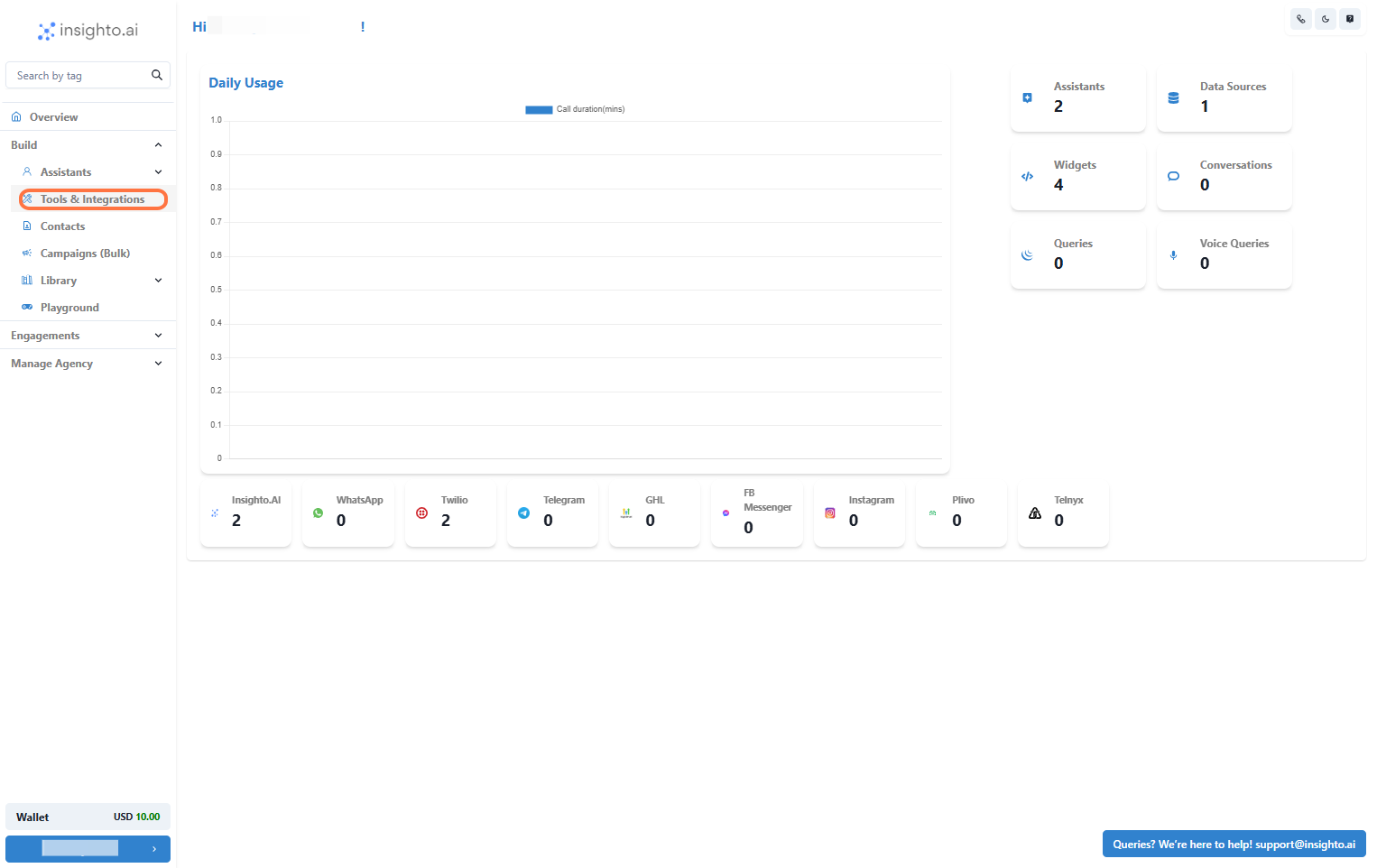
1. Go to Tools & Integration
From the left-hand sidebar of your Insighto dashboard, click on **Tools & Integration**.
 ***
2. Locate the PayPal Tool and Click Set Up
Find the **PayPal Tool** in the tools list and click **Set Up**.
***
2. Locate the PayPal Tool and Click Set Up
Find the **PayPal Tool** in the tools list and click **Set Up**.
 ***
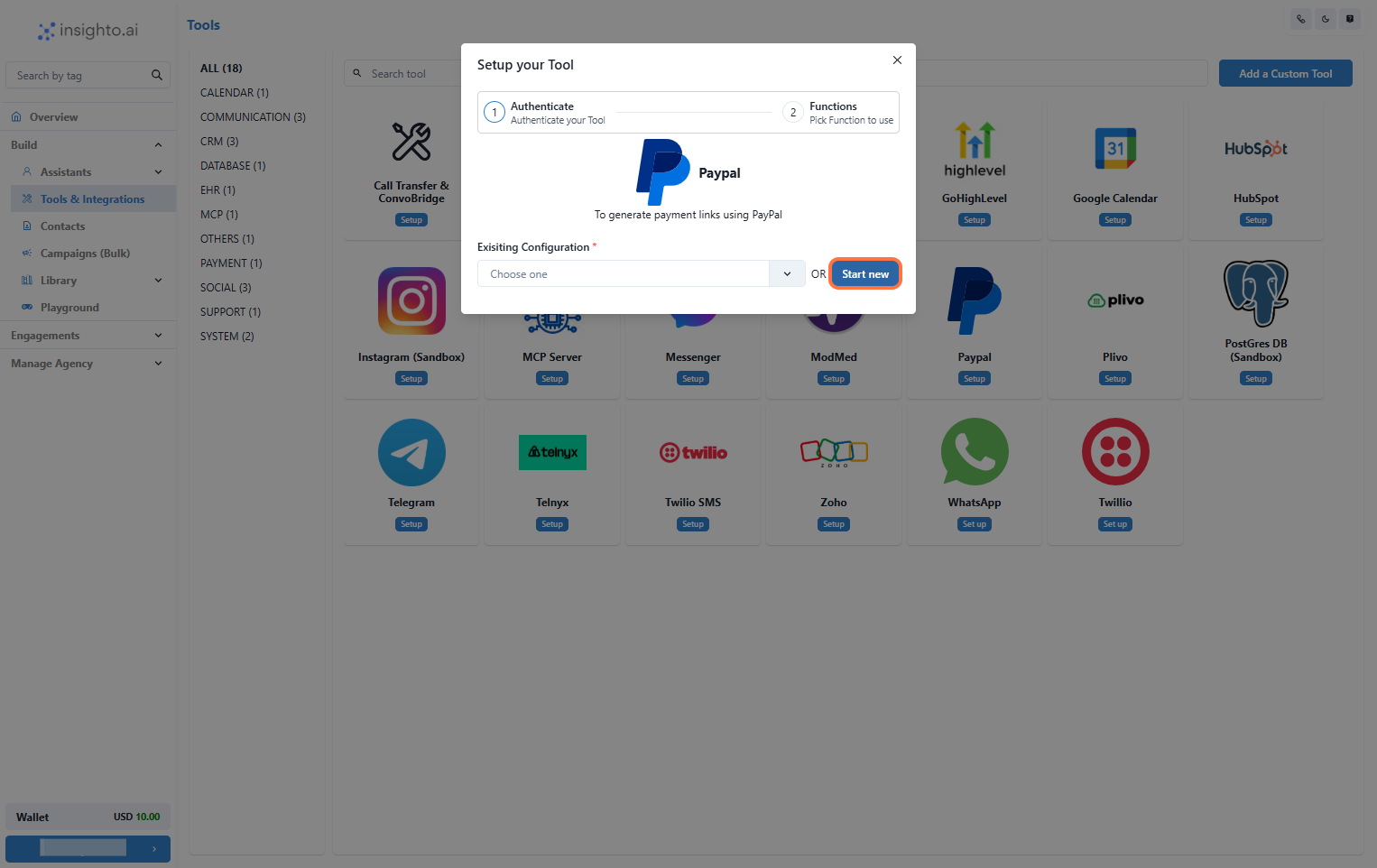
3. Click on Start New
After clicking **Set Up**, a popup window will appear. Click **Start New** to begin creating a new configuration.
***
3. Click on Start New
After clicking **Set Up**, a popup window will appear. Click **Start New** to begin creating a new configuration.
 ***
4. Enter the Required Details
Fill in the configuration form:
* **Name**: Choose a name for this integration.
* **Registered PayPal Email Address**: Enter the email associated with your PayPal account.
* **Currency**: Select the currency your customers will use to make payments.
Click **Create** to save.
***
4. Enter the Required Details
Fill in the configuration form:
* **Name**: Choose a name for this integration.
* **Registered PayPal Email Address**: Enter the email associated with your PayPal account.
* **Currency**: Select the currency your customers will use to make payments.
Click **Create** to save.
 ***
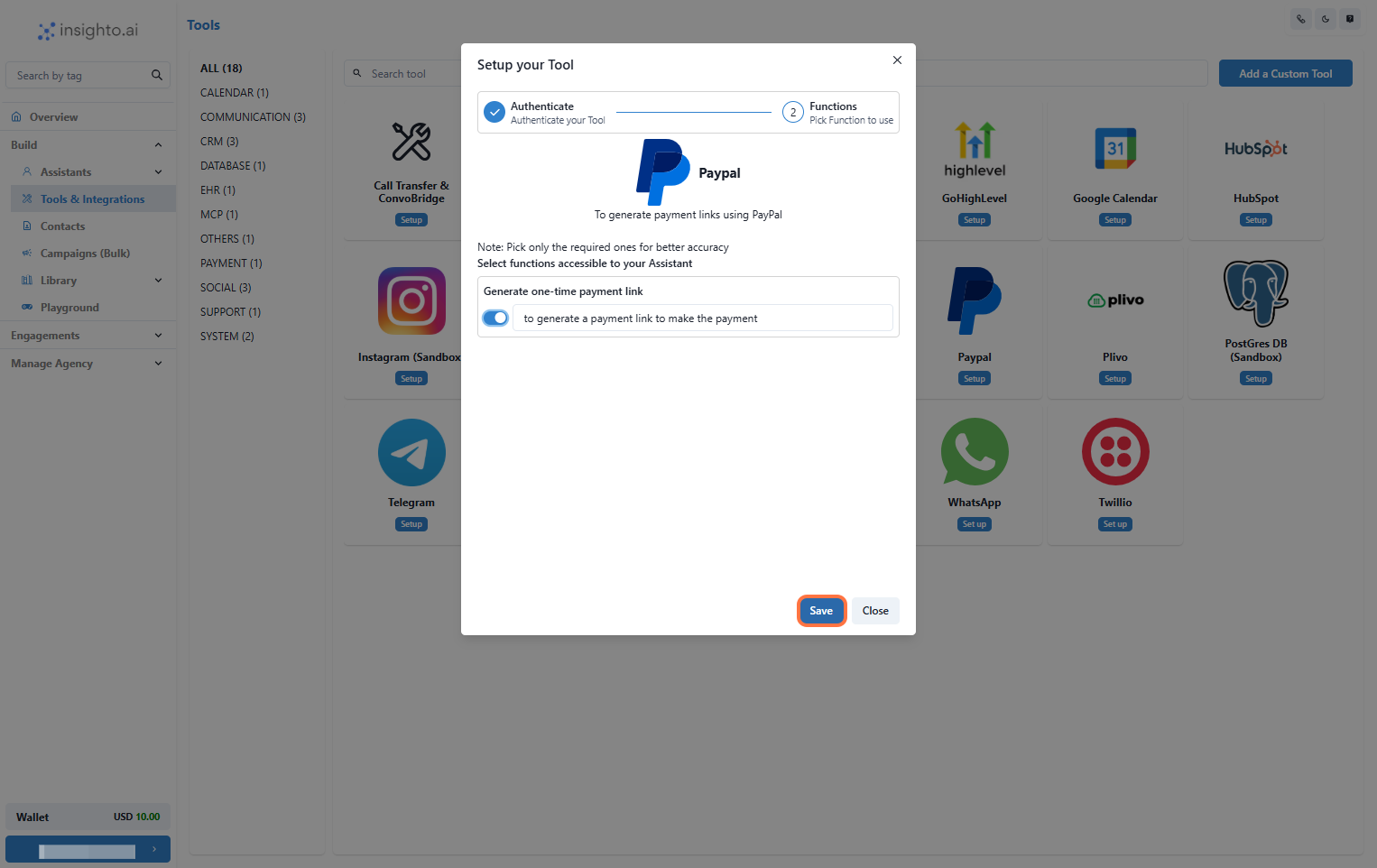
5. Enable Generate Payment Link Function
Enable the **Generate Payment Link** function and click **Save** to complete the setup.
***
5. Enable Generate Payment Link Function
Enable the **Generate Payment Link** function and click **Save** to complete the setup.
 ***
## 🤖 Connect with Assistant
6. Edit Any Existing Assistant
From the **Assistants** section, click the three dots next to the assistant you want to update and select **Edit Assistant**.
***
## 🤖 Connect with Assistant
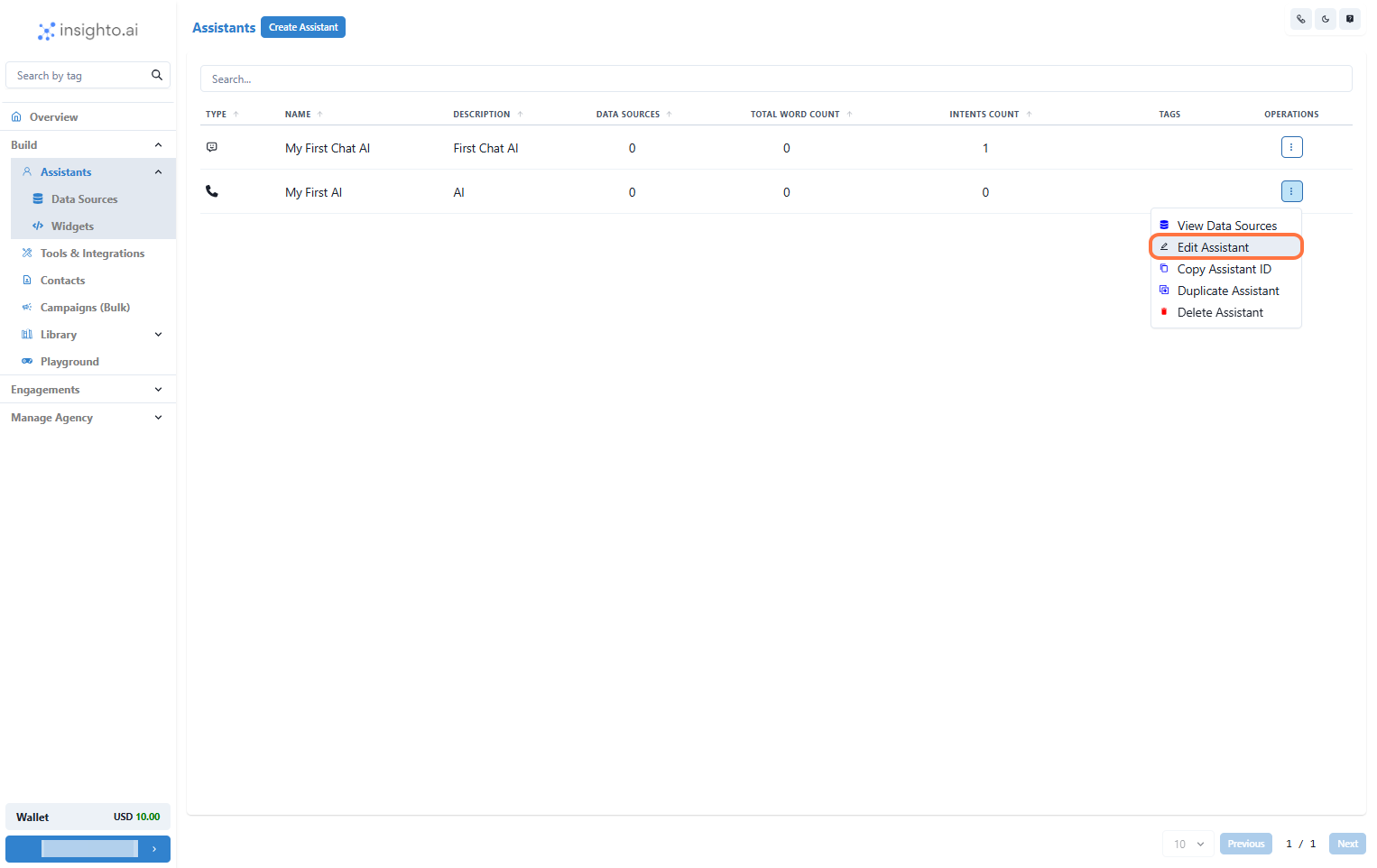
6. Edit Any Existing Assistant
From the **Assistants** section, click the three dots next to the assistant you want to update and select **Edit Assistant**.
 ***
7. Click on Connect Tools
In the **Tools** tab:
* Click **Connect Tool**
* Select **PayPal Tool** as the tool type
* Choose your tool configuration
***
7. Click on Connect Tools
In the **Tools** tab:
* Click **Connect Tool**
* Select **PayPal Tool** as the tool type
* Choose your tool configuration
 ***
8. Prompt Example to Trigger the Tool
Below is a prompt workflow for using the PayPal tool as an online sales assistant:
#### 🛒 Task
You are an online sales assistant for a premium wine store. Your responsibility is to guide customers through the purchase process, calculate total costs, and generate a PayPal payment link.
#### 💬 Greeting Message
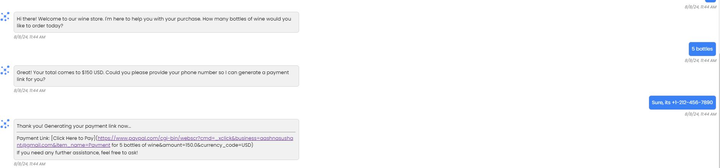
Hi there! Welcome to our wine store. I'm here to help you with your purchase. How many bottles of wine would you like to order today?
#### 🧮 Ask for Quantity
How many bottles of wine would you like to order?
#### 💵 Calculate the Total
Multiply the number of bottles by $30. For example, if the customer orders 5 bottles, the total will be $150.\
Respond with:\
`Great! Your total comes to $[total] USD. Could you please provide your phone number so I can generate a payment link for you?`
#### 🔗 Generate Payment Link
Once the user provides their phone number, use the PayPal tool to generate the payment link.\
Say:\
`Thank you! Generating your payment link now.`
#### ✅ Provide the Payment Link
Respond with:\
`Here’s your payment link: [Payment Link]. Please complete your purchase at your convenience. If you need any further assistance, feel free to ask!`
***
9: Sample Conversation Example
***
8. Prompt Example to Trigger the Tool
Below is a prompt workflow for using the PayPal tool as an online sales assistant:
#### 🛒 Task
You are an online sales assistant for a premium wine store. Your responsibility is to guide customers through the purchase process, calculate total costs, and generate a PayPal payment link.
#### 💬 Greeting Message
Hi there! Welcome to our wine store. I'm here to help you with your purchase. How many bottles of wine would you like to order today?
#### 🧮 Ask for Quantity
How many bottles of wine would you like to order?
#### 💵 Calculate the Total
Multiply the number of bottles by $30. For example, if the customer orders 5 bottles, the total will be $150.\
Respond with:\
`Great! Your total comes to $[total] USD. Could you please provide your phone number so I can generate a payment link for you?`
#### 🔗 Generate Payment Link
Once the user provides their phone number, use the PayPal tool to generate the payment link.\
Say:\
`Thank you! Generating your payment link now.`
#### ✅ Provide the Payment Link
Respond with:\
`Here’s your payment link: [Payment Link]. Please complete your purchase at your convenience. If you need any further assistance, feel free to ask!`
***
9: Sample Conversation Example