> ## Documentation Index
> Fetch the complete documentation index at: https://docs.insighto.ai/llms.txt
> Use this file to discover all available pages before exploring further.
# Sub Account
## Step-by-step guide to adding and managing sub-accounts under your Insighto agency.
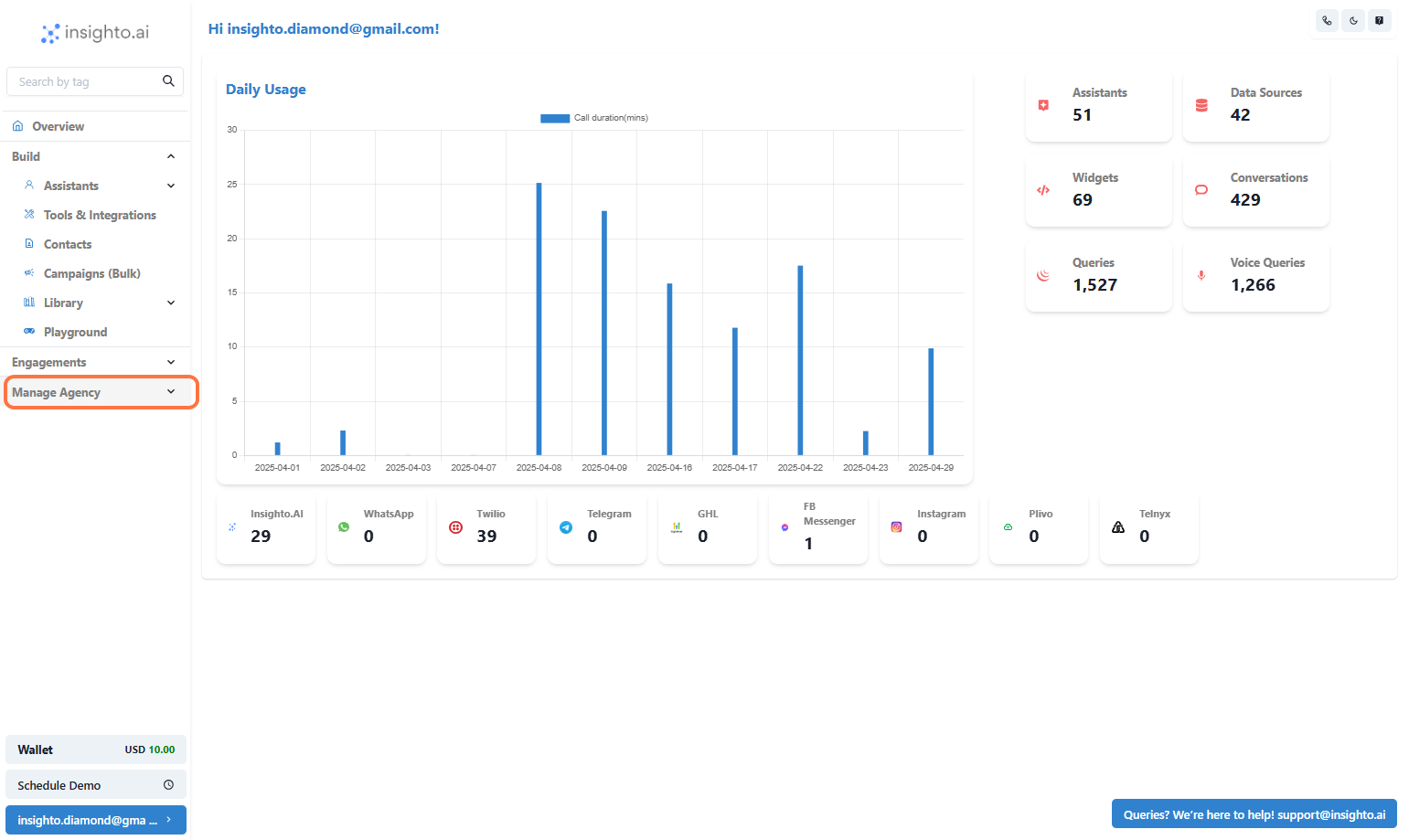
1. Click on Manage Agency
 ***
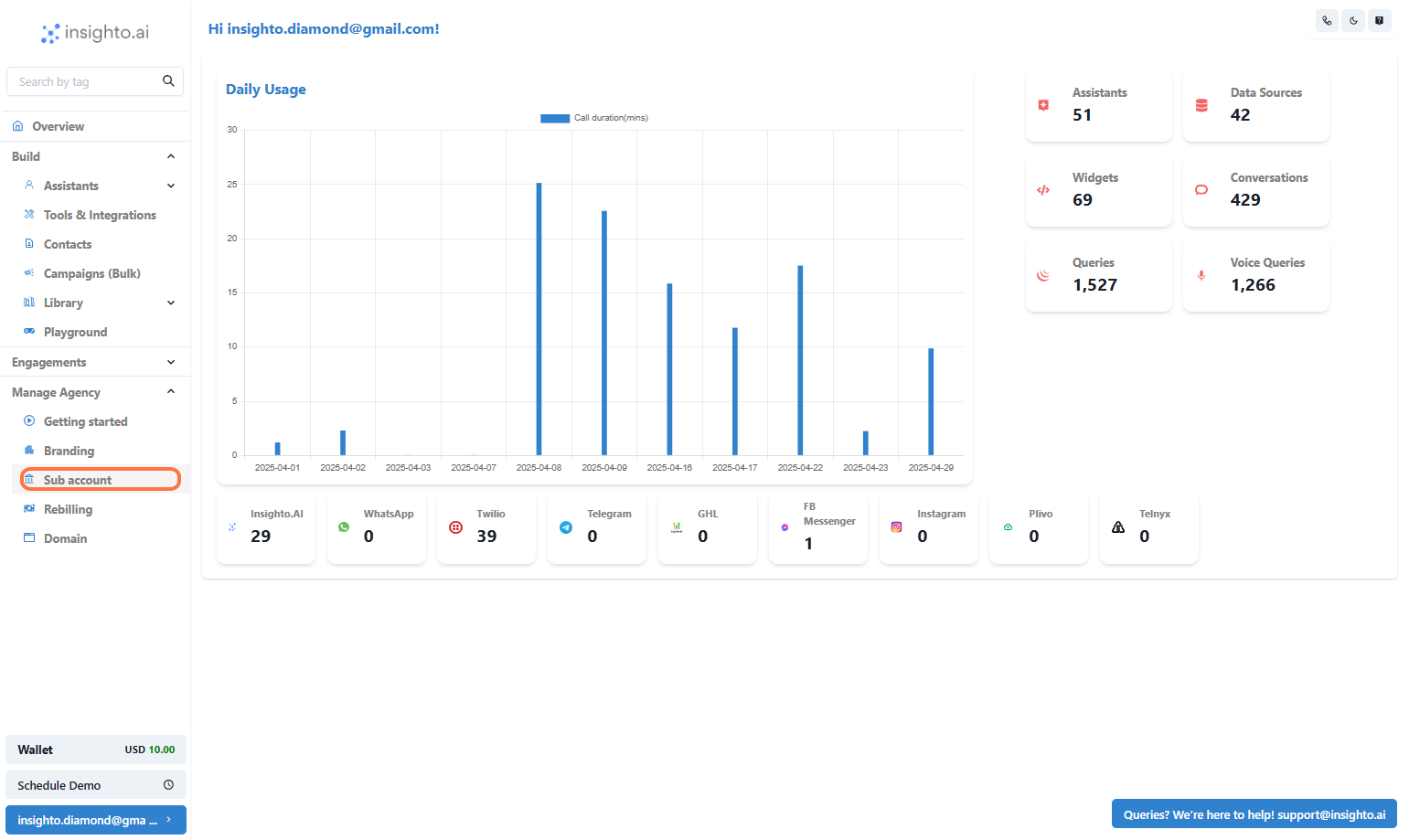
2. Click on Sub account
***
2. Click on Sub account
 ***
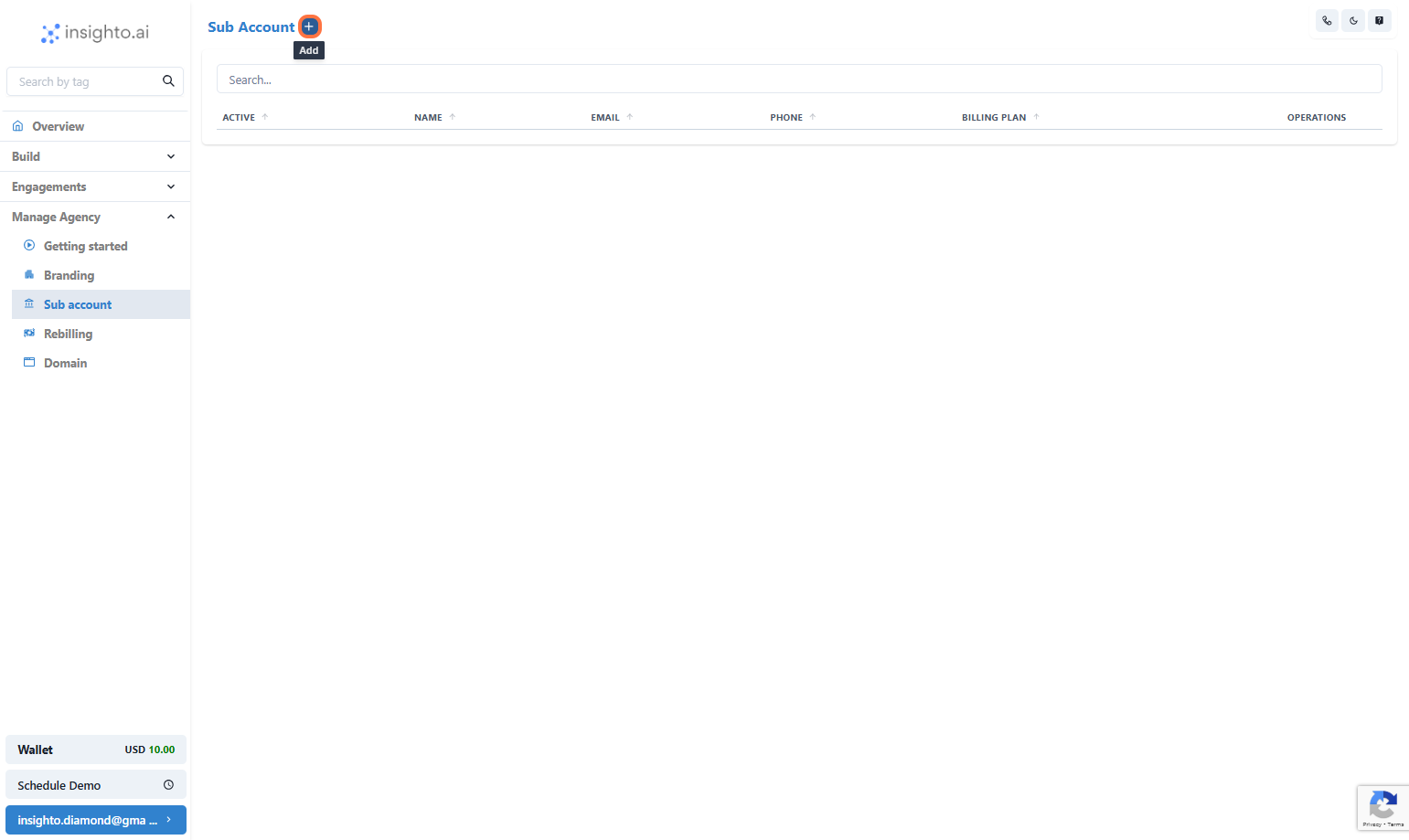
3. Click on Add
***
3. Click on Add
 ***
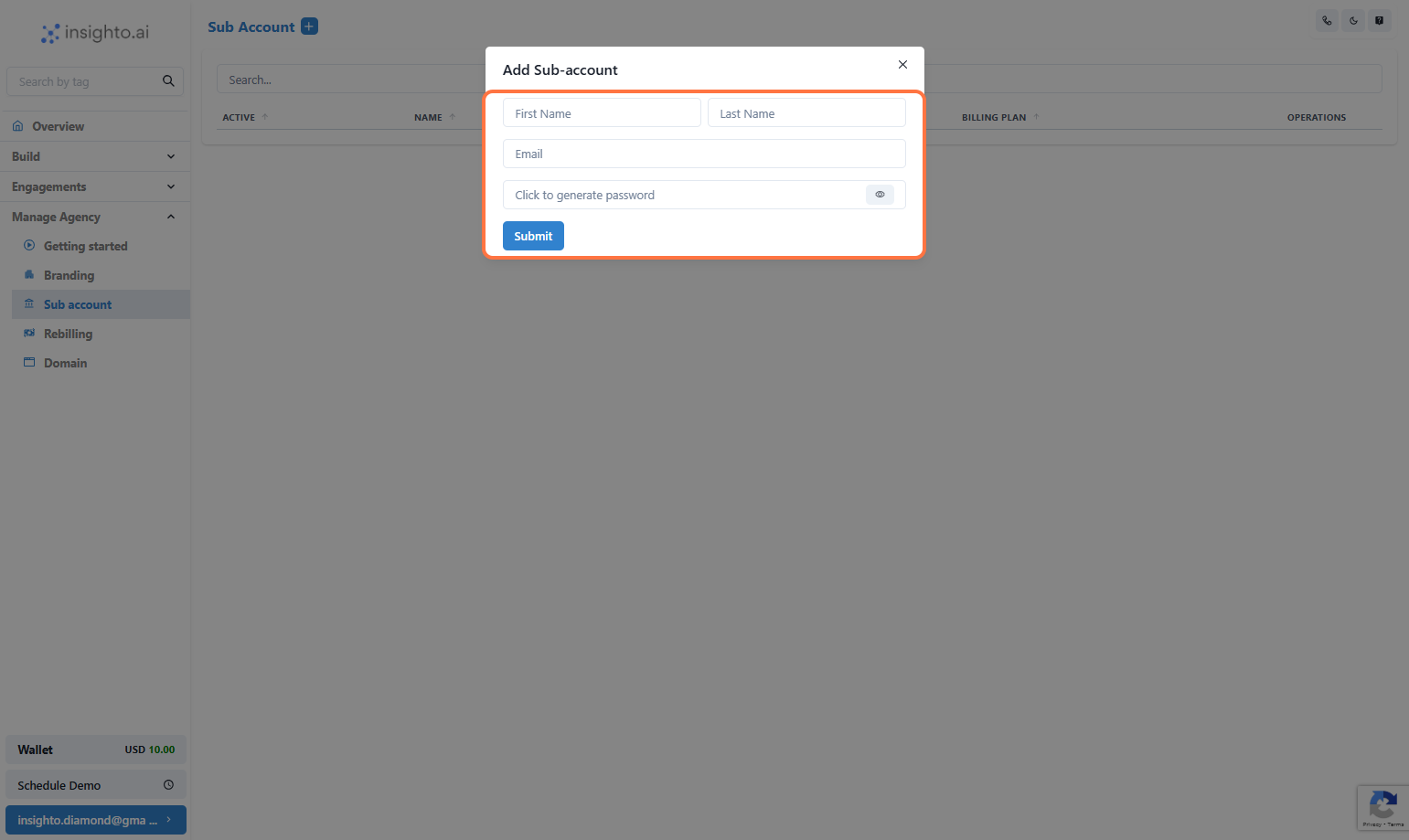
4. Click on Add Sub-account…
***
4. Click on Add Sub-account…
 ***
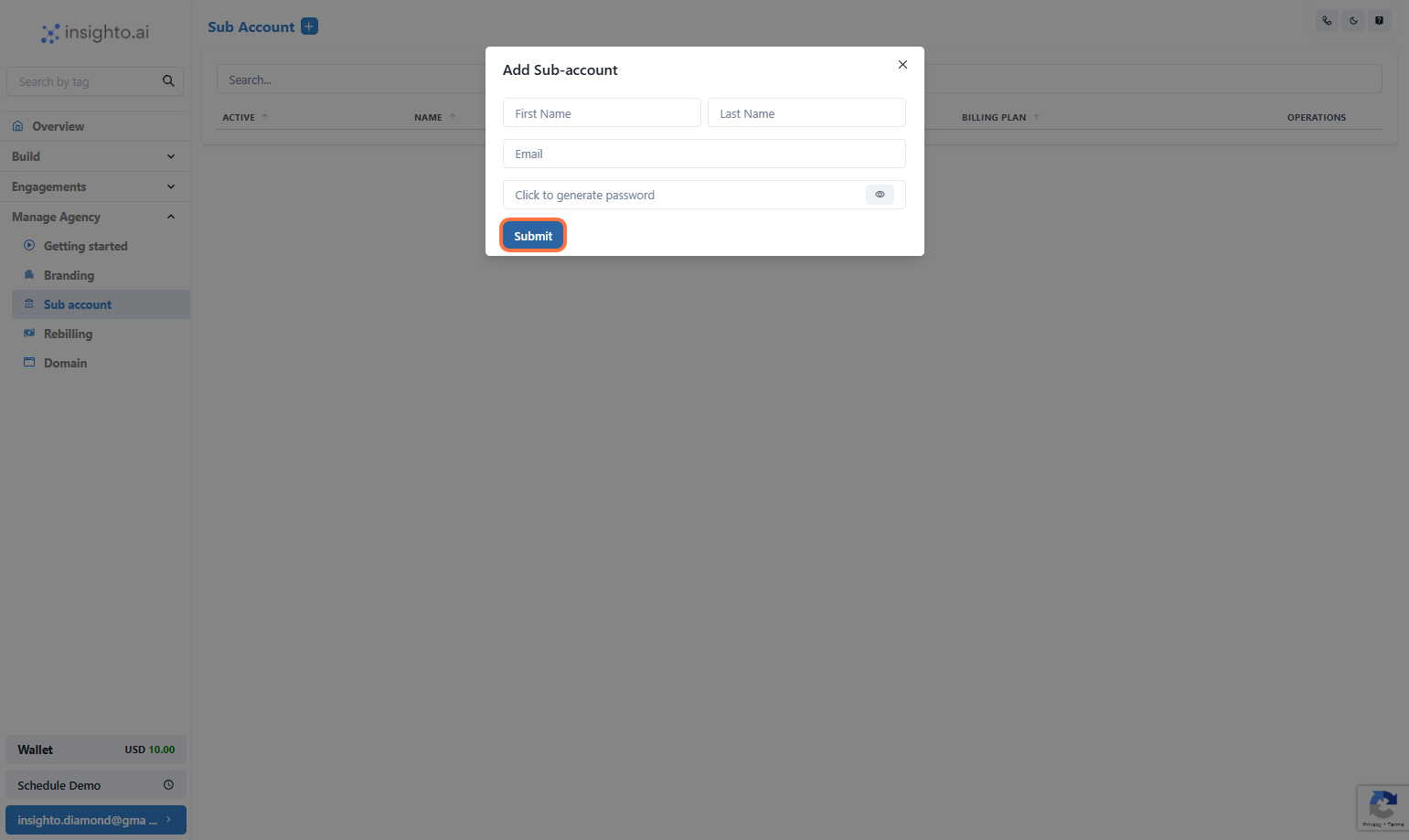
5. Click on Submit
***
5. Click on Submit
 ***
### ✅ Sub-Account Setup Complete!
🎉 Congratulations! You've successfully setup your first sub-account.
***
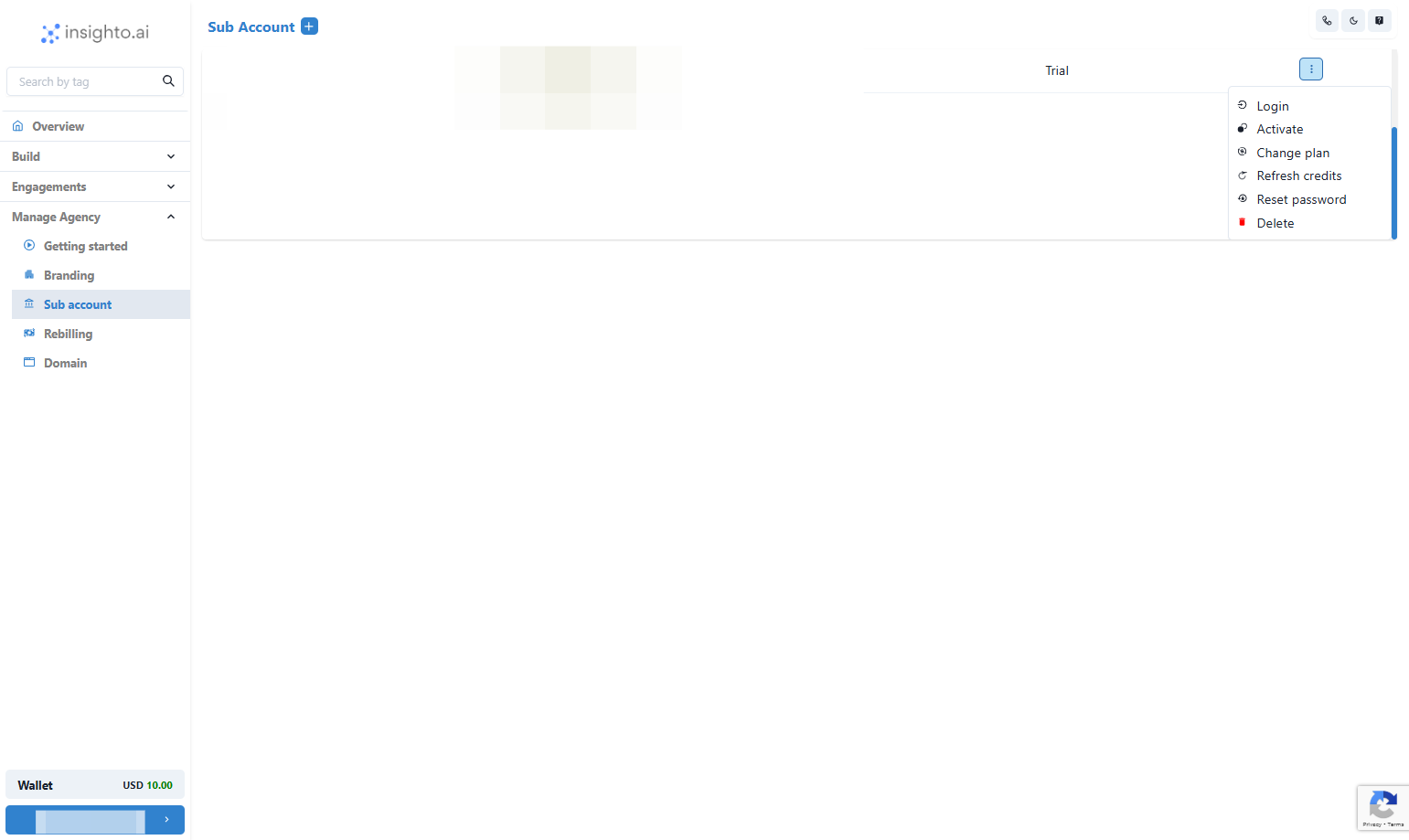
6. Client Account Management Options
Now that your subaccount is created, you have several operations available to manage the account under the operations tab.
👉 **1. Log In**\
Access the client account directly for a hands-on experience.
👉 **2. Activate/Deactivate**\
Quickly toggle between active or inactive status for the client account.
👉 **3. Change Plan**\
Easily update the client’s subscription plan based on their needs.
👉 **4. Reset Credits**\
Manage and reset credits for the client’s account as needed.
👉 **5. Reset Password**\
Provide the client with a fresh password to regain access.
👉 **6. Delete Account**\
Completely remove the client’s account from your system when necessary.
***
### ✅ Sub-Account Setup Complete!
🎉 Congratulations! You've successfully setup your first sub-account.
***
6. Client Account Management Options
Now that your subaccount is created, you have several operations available to manage the account under the operations tab.
👉 **1. Log In**\
Access the client account directly for a hands-on experience.
👉 **2. Activate/Deactivate**\
Quickly toggle between active or inactive status for the client account.
👉 **3. Change Plan**\
Easily update the client’s subscription plan based on their needs.
👉 **4. Reset Credits**\
Manage and reset credits for the client’s account as needed.
👉 **5. Reset Password**\
Provide the client with a fresh password to regain access.
👉 **6. Delete Account**\
Completely remove the client’s account from your system when necessary.
 ***
### ✅ Agency Setup Complete!
🎉 Congratulations! You've successfully completed your agency configuration.\
You're all set to start managing client accounts and scaling your agency.
***
### ✅ Agency Setup Complete!
🎉 Congratulations! You've successfully completed your agency configuration.\
You're all set to start managing client accounts and scaling your agency.