➕ Add a Webhook in Insighto
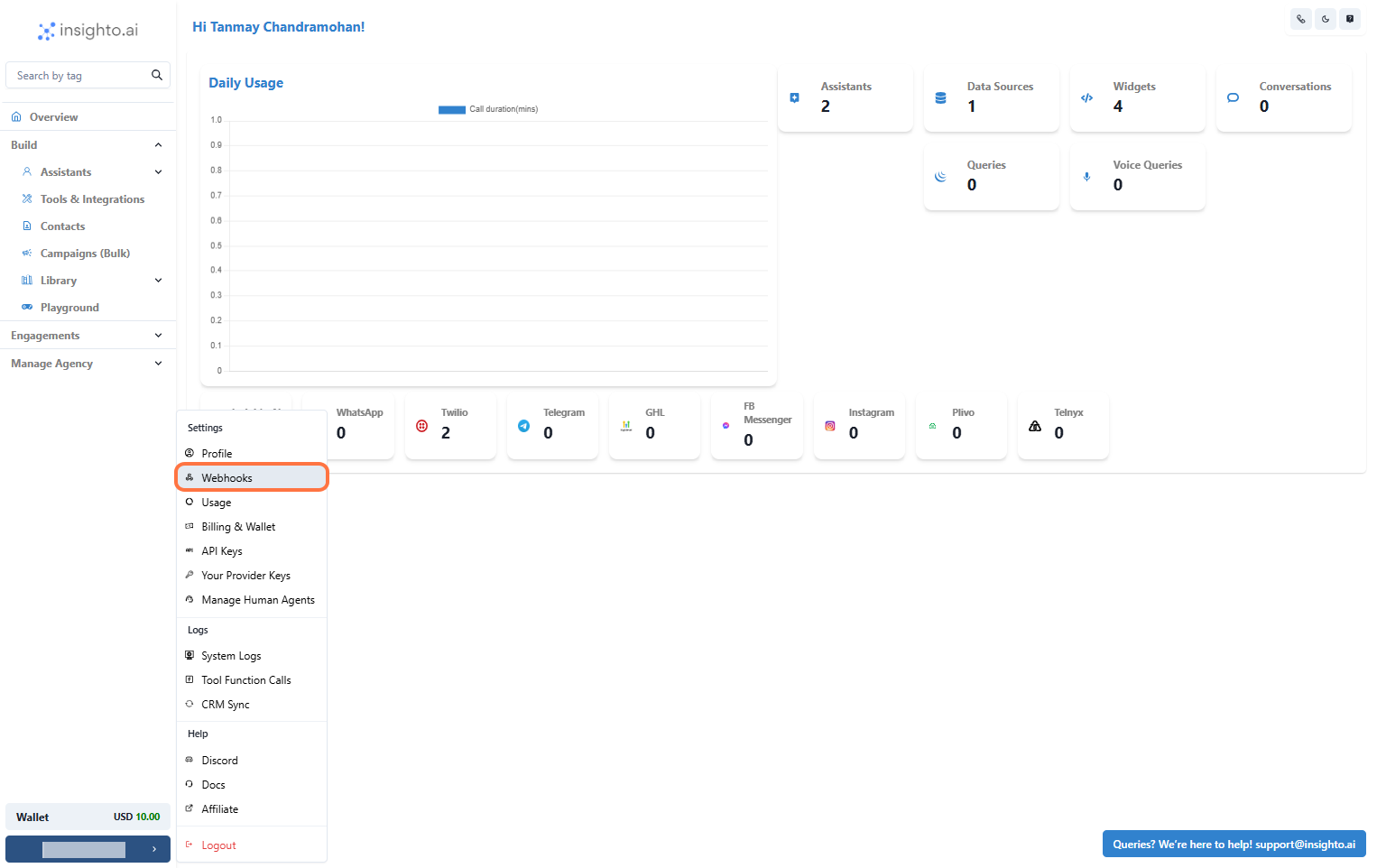
- Access Settings
- Select Webhooks
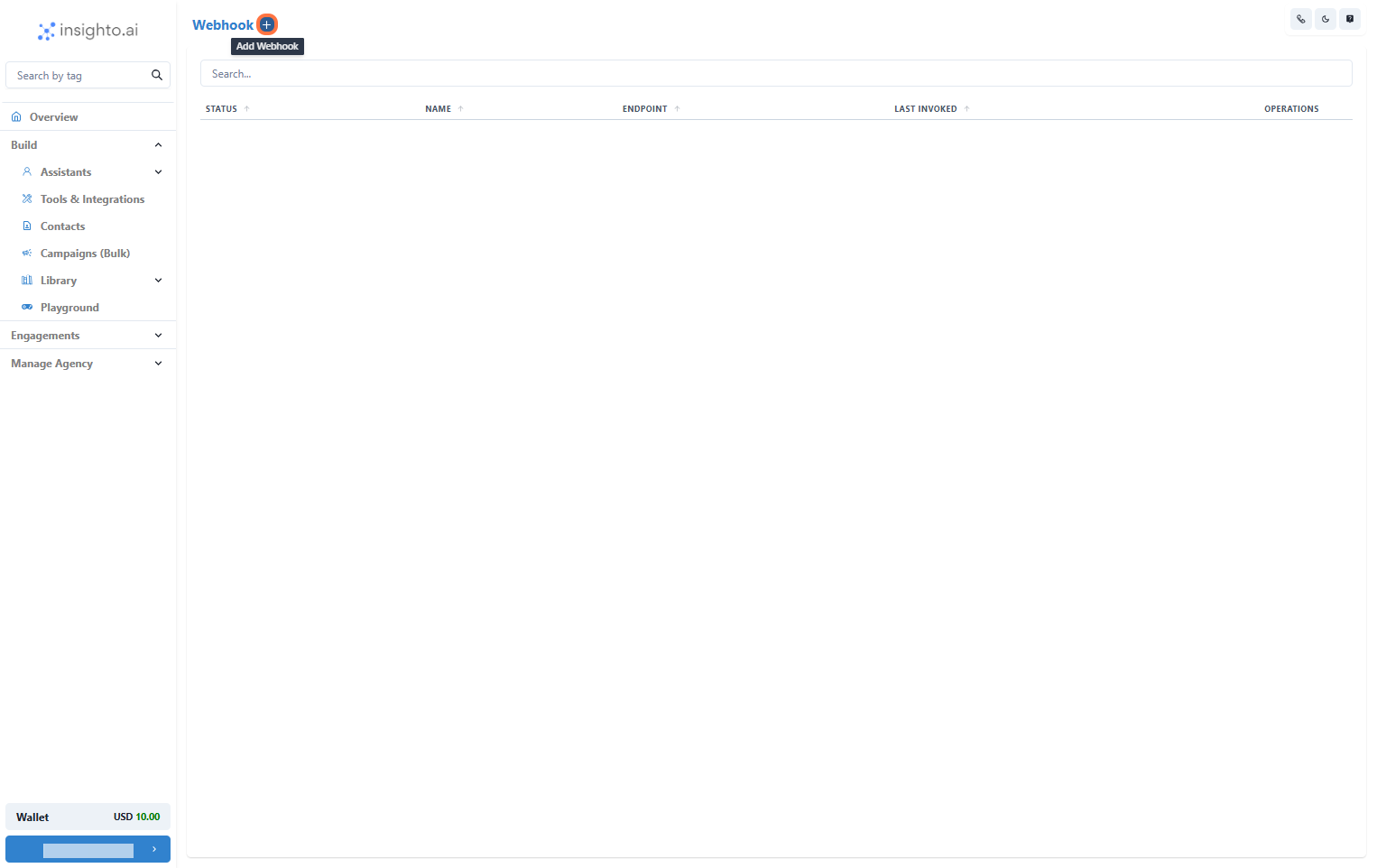
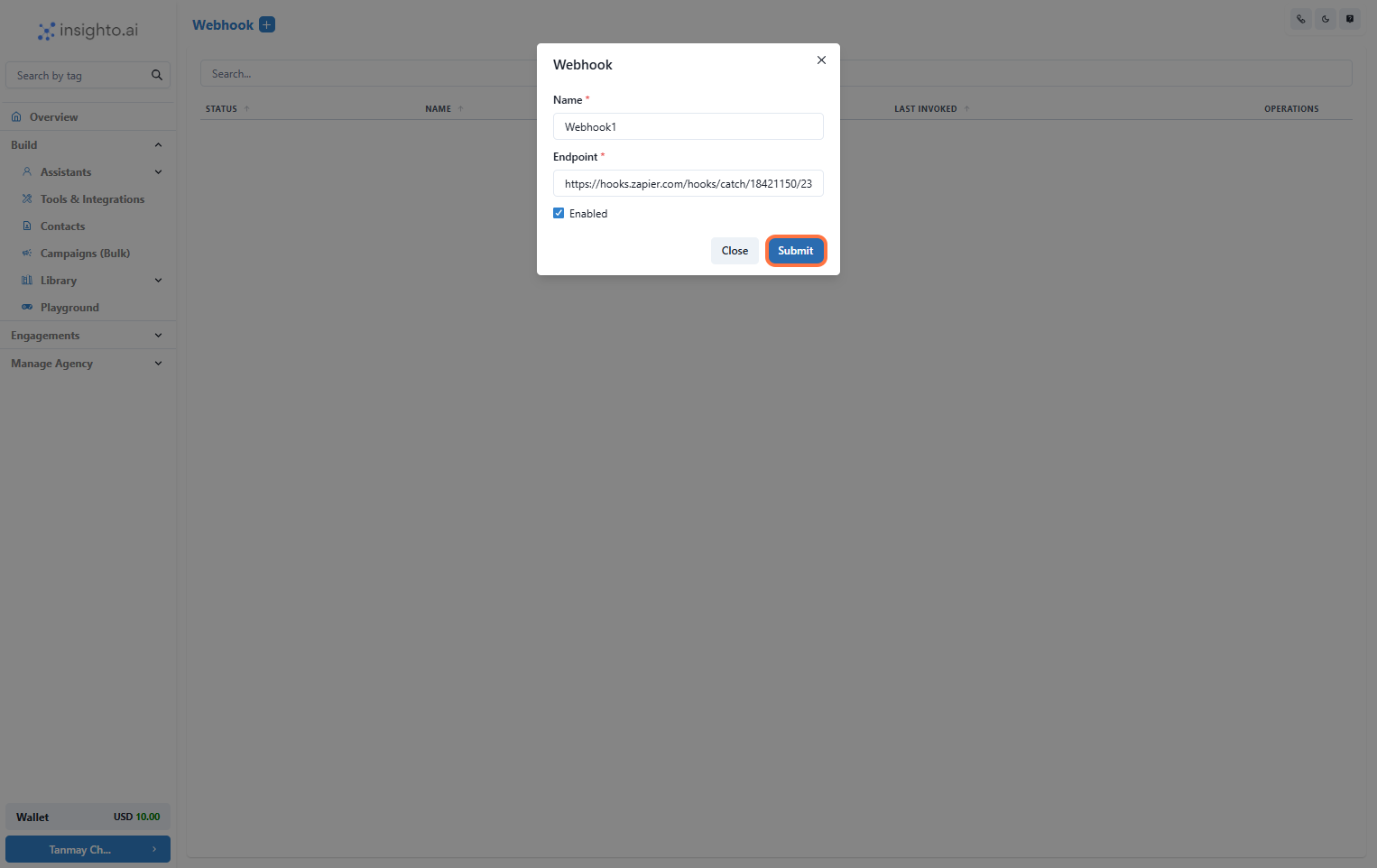
- Click the ”+” Button to Add a New Webhook
- Enter Webhook Details
- Name: Enter a clear and descriptive name for your webhook.
- Endpoint URL: Input the URL from the platform you’re creating a workflow with (e.g., Zapier, Make, or any other system).
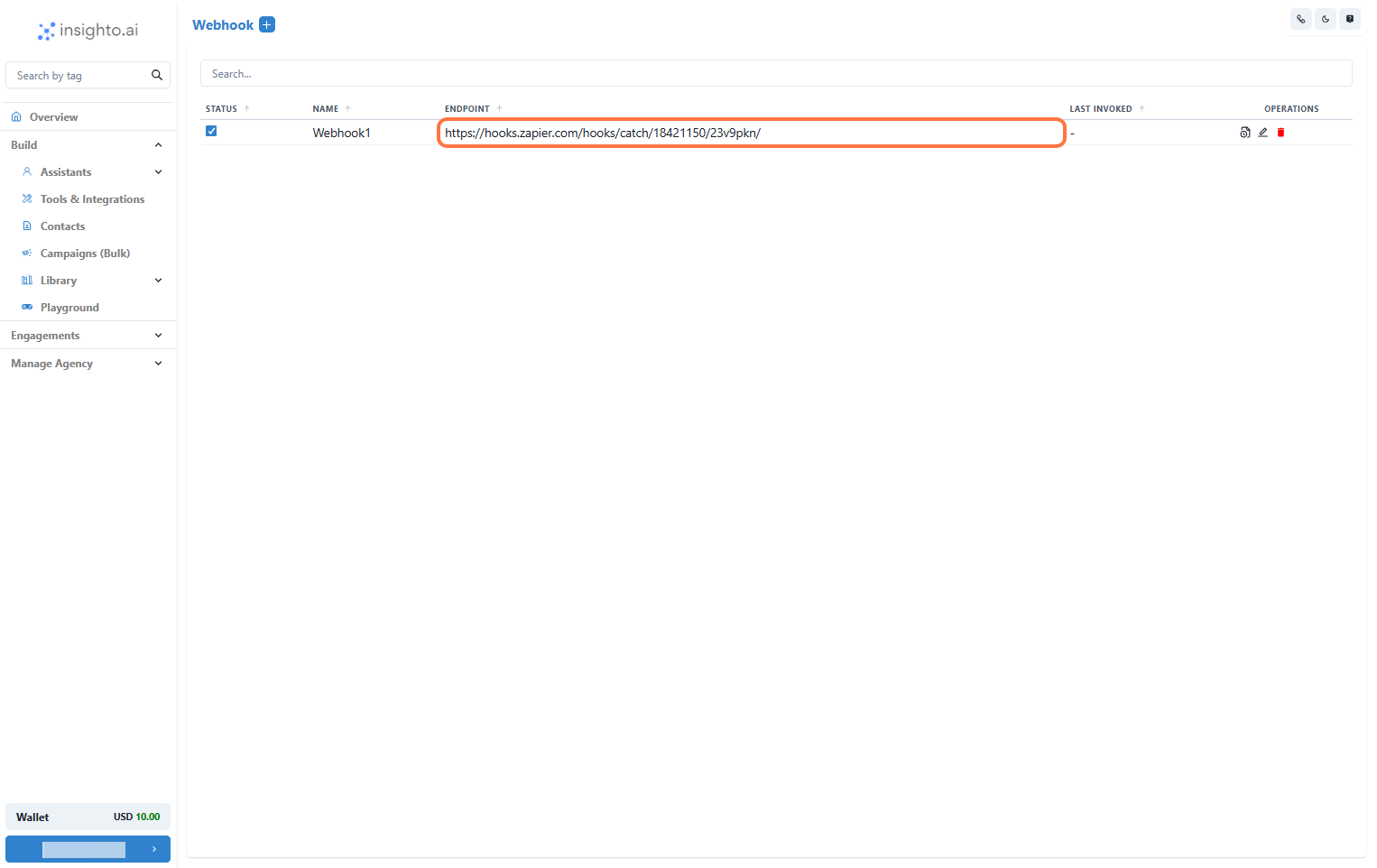
- Manage Your Webhook
- Check logs to see the activity for this webhook.
- Edit the webhook details if you need to make changes.
- Delete the webhook if it’s no longer needed.
⚠️ Each webhook connected to a form or assistant must be unique. Avoid reusing the same webhook across multiple forms or assistants to ensure your data flows correctly and actions trigger without conflicts.
📝 Connect with Forms
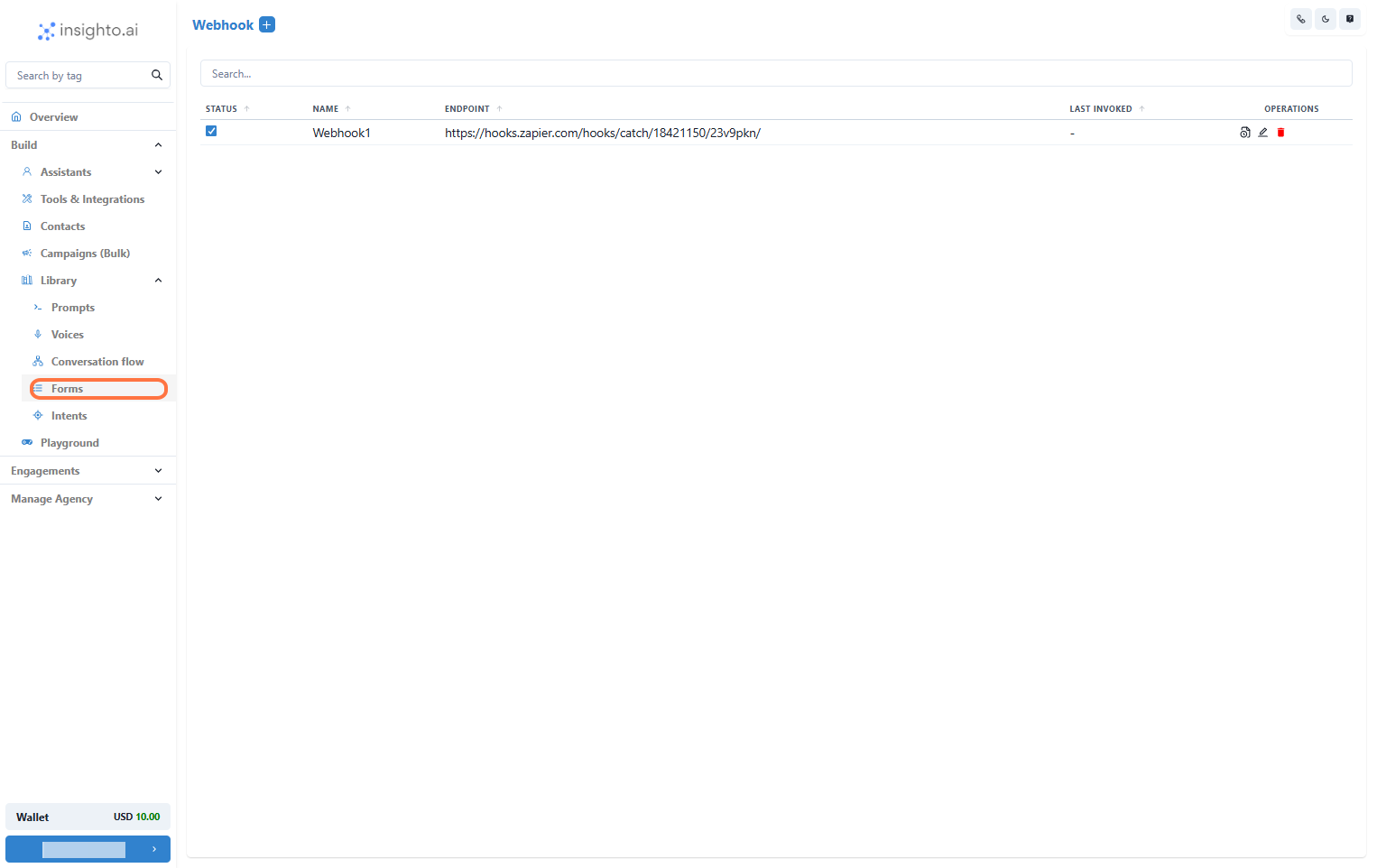
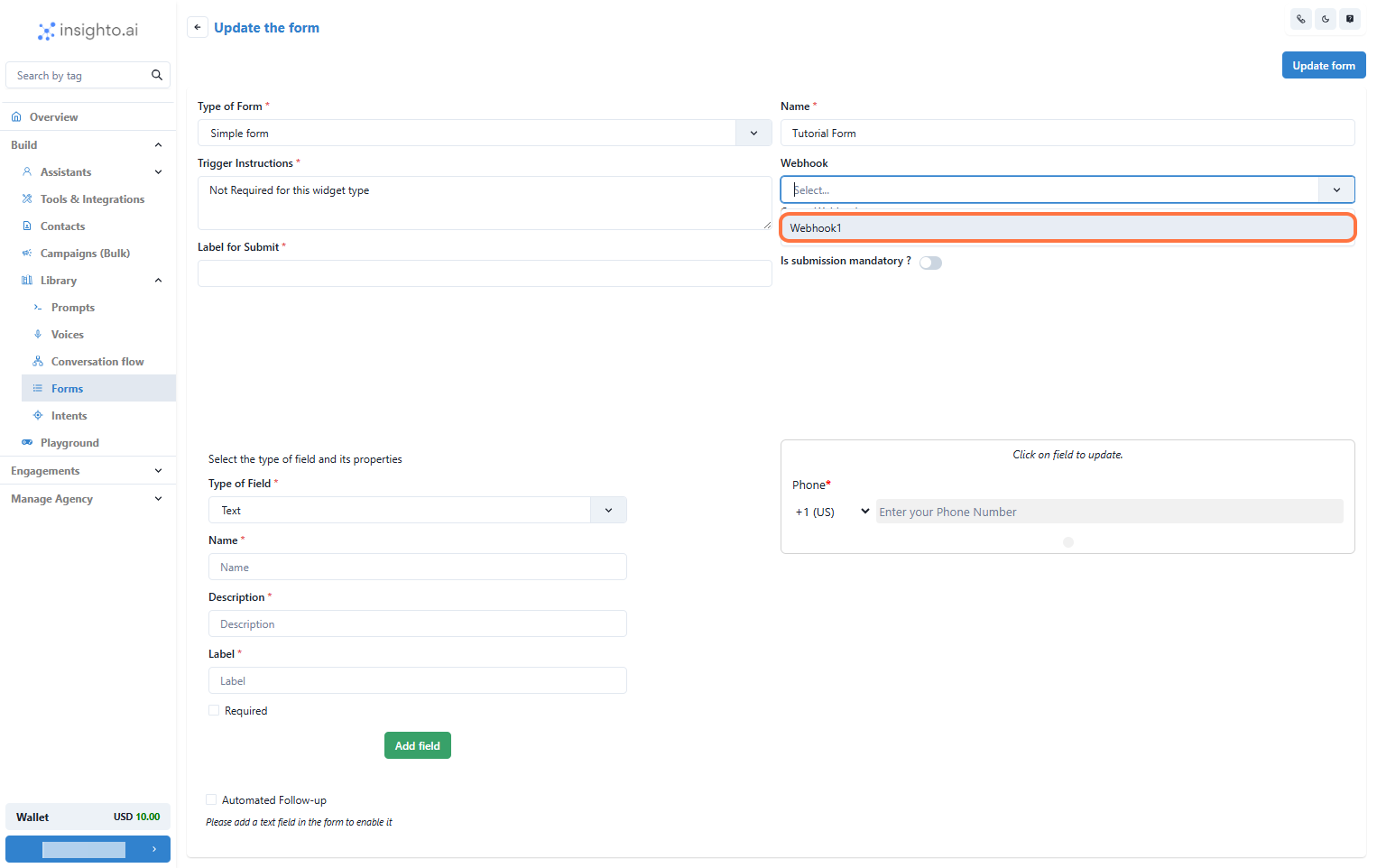
- Go to the Forms Section
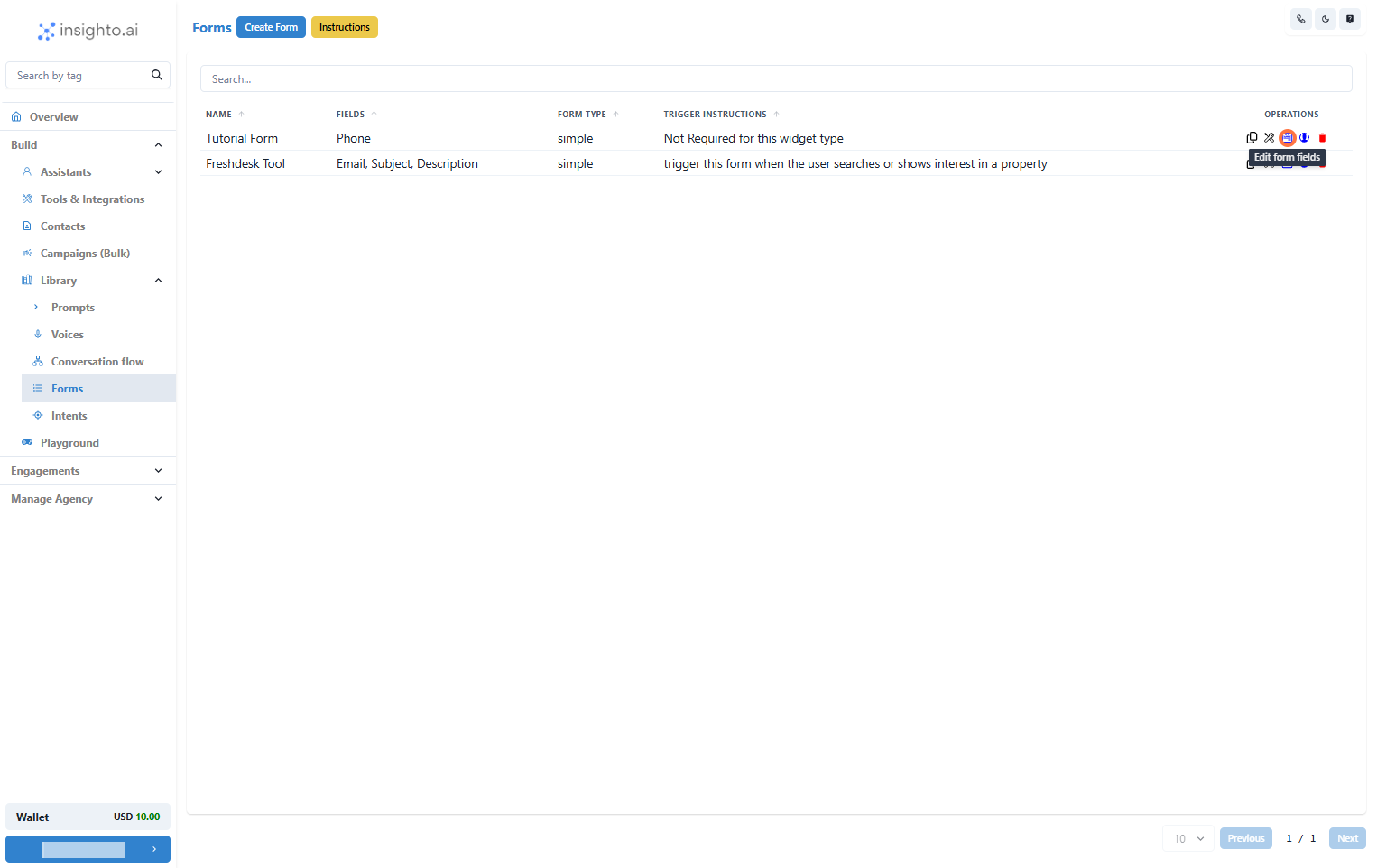
- Edit an Existing Form
- Select the Webhook
🤖 Connect with Assistant (2 Steps)
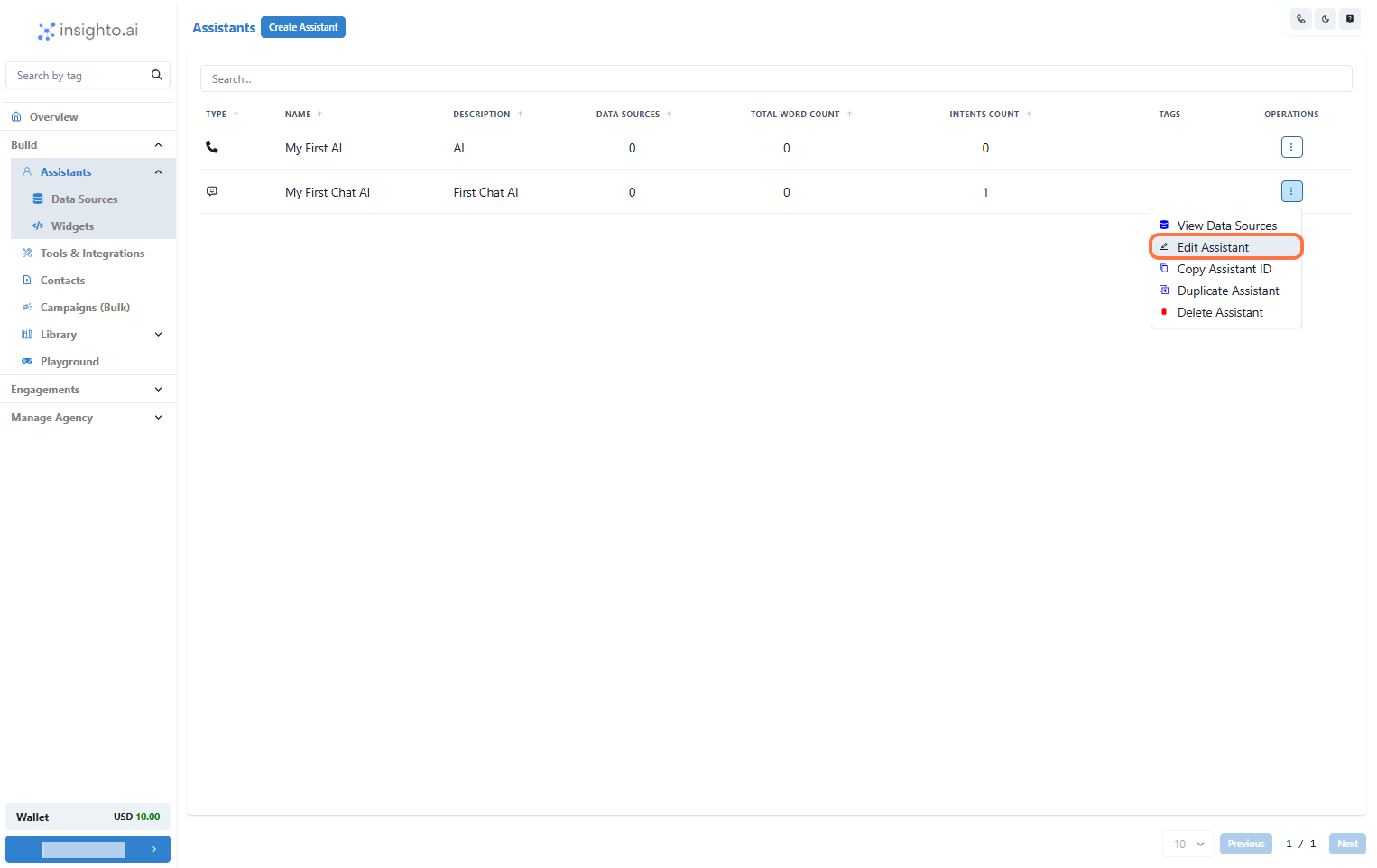
- Edit the Assistant to Connect the Webhook
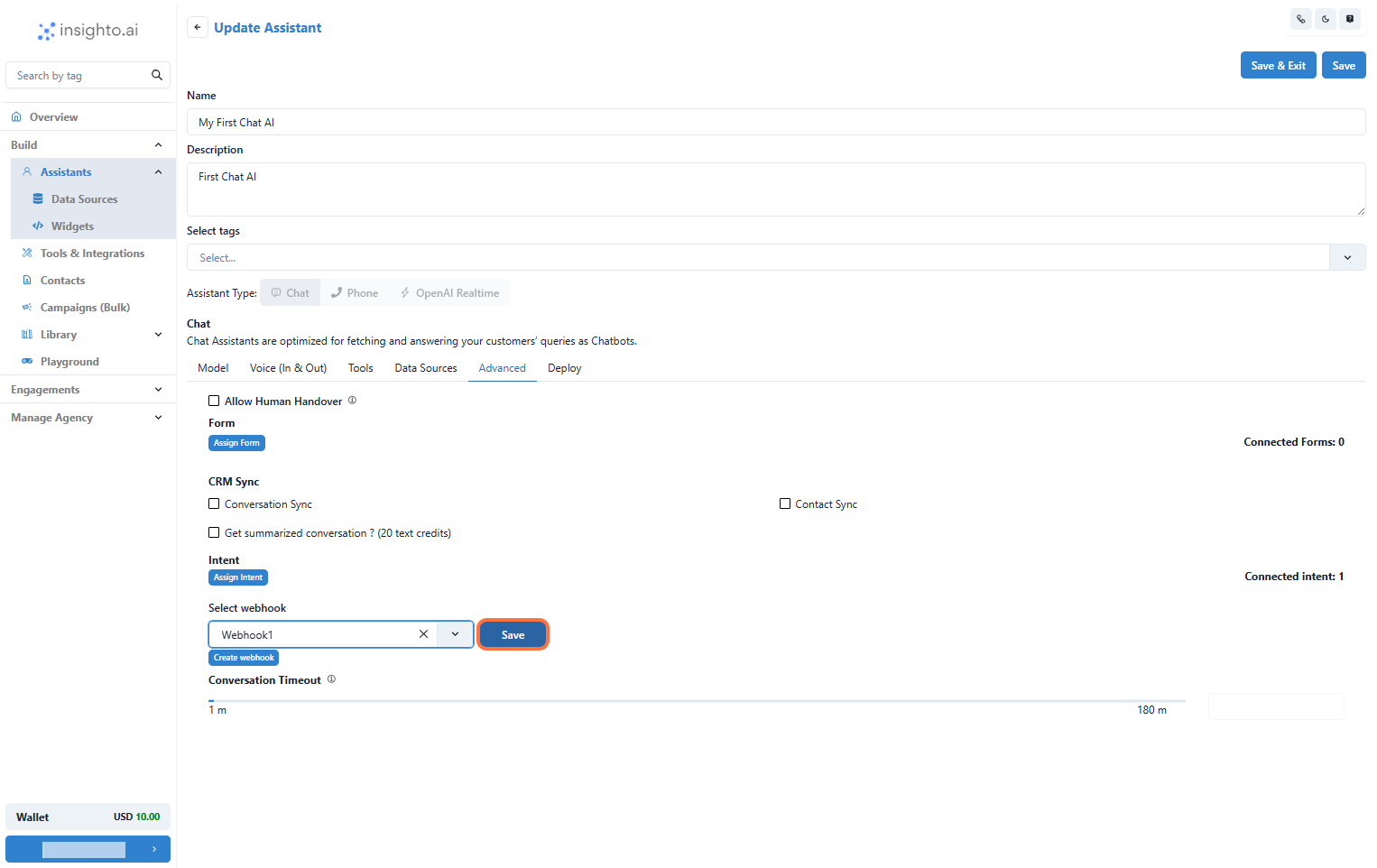
- Connect the Webhook in the Assistant’s Advanced Tab